
A public IPTV playlist is a free M3U file that links to live TV streams broadcasters already make available on the internet. The best-known source is iptv-org, a community project on GitHub. Its main playlist URL is: https://iptv-org.github.io/iptv/index.m3u
Paste that link into any IPTV player, such as VLC, TiviMate, or IPTV Smarters, and thousands of free channels load in seconds. Below, you’ll find smaller playlists by country, category, and language, setup steps for each device, and the limits you should know before relying on free streams.
Key Takeaways
- iptv-org/iptv is the largest free public IPTV playlist. It only links to streams that are publicly available and stores no video files.
- Use smaller lists like
countries/us.m3uorcategories/news.m3uinstead ofindex.m3u. They load faster and contain fewer dead links. - As of October 29, 2026, the project’s playlist page listed 3,016 English, 2,424 Spanish, and 1,049 news channels.
- iptv-org stopped distributing NSFW channels on January 30, 2024, and does not include VOD (movies or series).
- Free public streams can stop working, change, or be geo-blocked at any time. There’s no support, and EPG needs extra setup.
- “Free popular IPTV playlist” sites that promise premium sports or pay-TV channels are usually unlicensed and risky.
What Is a Public IPTV Playlist?
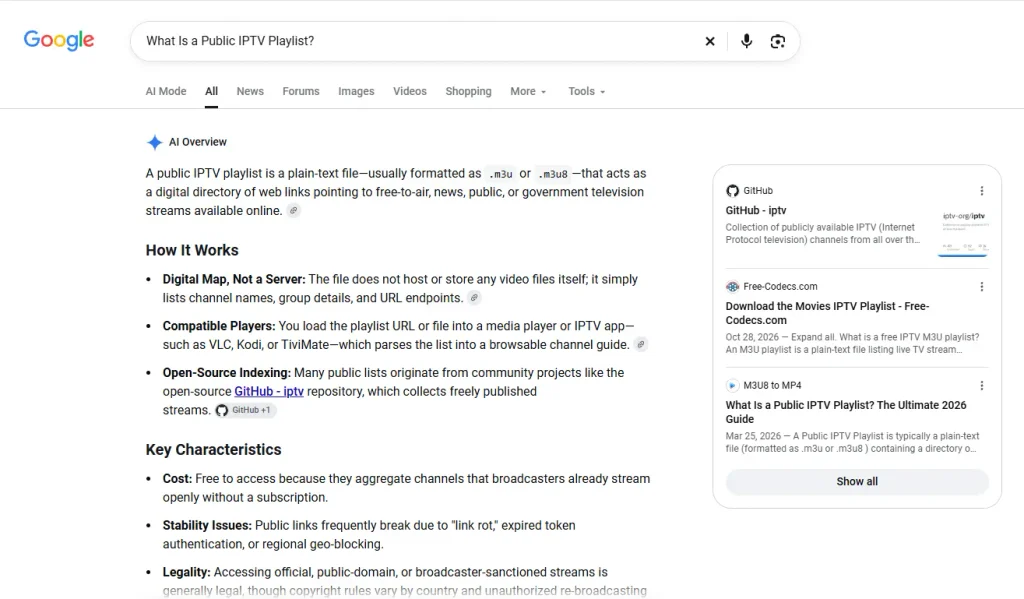
A public IPTV playlist is a free M3U file that lists links to live TV streams anyone can watch without a subscription. The playlist only holds the addresses. The video comes straight from each broadcaster’s own server.
Each channel in an M3U file takes two lines: a #EXTINF line with the channel name, logo, and group, and the public IPTV stream URL itself. Your player reads the list and shows it as a channel guide. Our M3U playlist guide explains the format in more detail.
Most channels in public playlists are free-to-air news, government, religious, music, and local stations, plus free ad-supported channels. You won’t find paid sports or premium movie networks in a legitimate public list.
What Is iptv-org on GitHub?
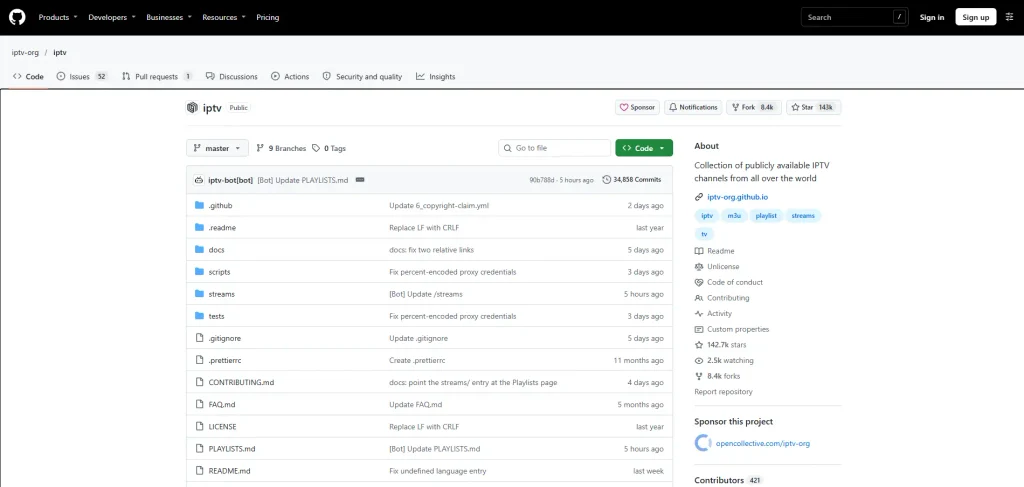
iptv-org is an open-source community project on GitHub that collects links to publicly available IPTV channels from around the world. Its main repository, iptv-org/iptv, publishes ready-to-use M3U playlists that update automatically.
The iptv-org/iptv repository states that it stores no video files and only contains user-submitted links to publicly available streams. Channel details come from a separate database repository, and the project also offers an API and EPG tools. The repository is released under the CC0 public-domain license.
That’s why searches like “iptv github”, “github iptv” and “iptv.org” usually point to the same project. The website iptv-org.github.io is a searchable database of channels. Only channels with working stream links appear in the playlists. For a wider look at other GitHub IPTV projects, read our IPTV GitHub guide.
What Is the iptv-org Playlist URL?
The main iptv-org playlist URL is https://iptv-org.github.io/iptv/index.m3u. It contains every channel in the repository. The project also publishes smaller playlists grouped by country, category, language, and region.
Use the full list only if you want to browse everything. On a Firestick or an older Smart TV, a country or category list loads much faster. The complete list of links is on the project’s PLAYLISTS.md page.
| Playlist type | Example | URL pattern |
|---|---|---|
| All channels | Everything | https://iptv-org.github.io/iptv/index.m3u |
| Grouped by category (one file) | All, with category groups | https://iptv-org.github.io/iptv/index.category.m3u |
| By country | United States | https://iptv-org.github.io/iptv/countries/us.m3u |
| By category | News | https://iptv-org.github.io/iptv/categories/news.m3u |
| By language | English | https://iptv-org.github.io/iptv/languages/eng.m3u |
| By region | Europe | https://iptv-org.github.io/iptv/regions/eur.m3u |
Public IPTV Playlists by Country
To get a country playlist, add the country’s two-letter code to the URL: https://iptv-org.github.io/iptv/countries/[code].m3u. Note that the United Kingdom uses uk, not gb.
| Country | Playlist URL |
|---|---|
| United States | https://iptv-org.github.io/iptv/countries/us.m3u |
| United Kingdom | https://iptv-org.github.io/iptv/countries/uk.m3u |
| Canada | https://iptv-org.github.io/iptv/countries/ca.m3u |
| India | https://iptv-org.github.io/iptv/countries/in.m3u |
| Germany | https://iptv-org.github.io/iptv/countries/de.m3u |
| France | https://iptv-org.github.io/iptv/countries/fr.m3u |
| Spain | https://iptv-org.github.io/iptv/countries/es.m3u |
| Brazil | https://iptv-org.github.io/iptv/countries/br.m3u |
| Mexico | https://iptv-org.github.io/iptv/countries/mx.m3u |
| Australia | https://iptv-org.github.io/iptv/countries/au.m3u |
| International channels | https://iptv-org.github.io/iptv/countries/int.m3u |
Public IPTV Playlists by Category and Language

Category and language playlists group channels by topic or spoken language from every country. Channel counts below come from the iptv-org PLAYLISTS.md page as of October 29, 2026. They change daily as links are added or removed.
| Category | Channels | Playlist URL |
|---|---|---|
| News | 1,049 | https://iptv-org.github.io/iptv/categories/news.m3u |
| Entertainment | 904 | https://iptv-org.github.io/iptv/categories/entertainment.m3u |
| Music | 782 | https://iptv-org.github.io/iptv/categories/music.m3u |
| Movies | 771 | https://iptv-org.github.io/iptv/categories/movies.m3u |
| Series | 521 | https://iptv-org.github.io/iptv/categories/series.m3u |
| Sports | 459 | https://iptv-org.github.io/iptv/categories/sports.m3u |
| Kids | 431 | https://iptv-org.github.io/iptv/categories/kids.m3u |
| Documentary | 253 | https://iptv-org.github.io/iptv/categories/documentary.m3u |
| Language | Channels | Playlist URL |
|---|---|---|
| English | 3,016 | https://iptv-org.github.io/iptv/languages/eng.m3u |
| Spanish | 2,424 | https://iptv-org.github.io/iptv/languages/spa.m3u |
| Hindi | 377 | https://iptv-org.github.io/iptv/languages/hin.m3u |
| Arabic | 350 | https://iptv-org.github.io/iptv/languages/ara.m3u |
The “Movies” and “Series” categories are live linear channels that show films or shows on a schedule. iptv-org doesn’t offer on-demand movies.
Is There Another Public IPTV Playlist on GitHub?
Yes. Free-TV/IPTV is a smaller GitHub playlist that focuses on quality over quantity. It only includes mainstream channels that are officially free, in HD where possible, with one link per channel.
According to the Free-TV/IPTV project, its playlist excludes paid, adult, religious, and political channels. Use this URL: https://raw.githubusercontent.com/Free-TV/IPTV/master/playlist.m3u8
Pick Free-TV if you want a short, cleaner list of national channels. Pick iptv-org if you want the widest choice of countries, languages, and niche channels.
How Do You Use a Public IPTV Playlist?
Copy the M3U URL, open an IPTV player, and add it as a playlist URL. Every player that supports M3U works, and you don’t need a username or password.
VLC (Windows, Mac, Linux)
- Open VLC and click Media > Open Network Stream (on Mac, File > Open Network).
- Paste the playlist URL, for example
https://iptv-org.github.io/iptv/countries/us.m3u. - Click Play, then press Ctrl + L (Cmd + L on Mac) to see the channel list.
Our IPTV on VLC guide has more tips.
TiviMate or IPTV Smarters (Android TV, Firestick)
- Choose Add playlist and select M3U playlist, or load your playlist or file URL.
- Paste the URL and give the playlist a name.
- Skip the login fields, since public playlists have none.
See our TiviMate guide or the steps for IPTV on Firestick.
Kodi: install the PVR IPTV Simple Client add-on, set the location to a remote path, paste the M3U URL, and restart Kodi.
iPhone and iPad: use any M3U-compatible app from the App Store. Our IPTV player for iOS guide compares the options.
How Do You Add EPG to a Public IPTV Playlist?
Public playlists don’t include a TV guide by default. iptv-org provides EPG tools in a separate repository, which you use to create an XMLTV guide file and load it into your player.
The iptv-org/epg project includes a grabber that downloads schedules from TV guide websites. Community members share ready-made guides in that repository’s GUIDES.md file. Add the XMLTV URL in your player’s EPG settings. Paid services usually include EPG and catch-up TV out of the box.
Are Public IPTV Playlists Legal?

Public IPTV playlists like iptv-org are generally legal to use when they link to streams the broadcaster has made freely available. The risk comes from playlists that include paid channels, premium sports or movies without permission.
iptv-org says its links point to streams that, to the best of its knowledge, copyright holders made public on purpose. Rights holders can ask for a link to be removed through a GitHub issue. The project also notes that removing a link doesn’t remove the stream from the web, since it doesn’t host any video.
Be careful with sites that sell themselves as the “free popular IPTV playlist” and list pay-TV channels. Those links are usually unlicensed. Laws differ by country, so check what applies where you live. Our guide to legal IPTV services explains the difference.
Are Free IPTV Playlists Safe?
The M3U file itself is plain text, so it can’t infect your device. The risk comes from where you get it and what app you use to open it.
- Use the source. Copy URLs from the official GitHub pages, not from file-sharing sites or “free IPTV m3u playlist HD channels download” pages that push you to install an APK.
- Use a trusted player. Install apps from official stores or developer websites.
- Protect your privacy. Stream servers can see your IP address. A VPN for IPTV hides it, but it doesn’t make unlicensed streams legal.
Why Do Channels in Public IPTV Playlists Stop Working?
Channels stop working because the stream URL changes, the broadcaster blocks viewers outside its country, or the server goes offline. iptv-org updates its playlists automatically, but some dead links always slip through.
| Problem | Likely cause | Fix |
|---|---|---|
| Channel won’t load | Stream URL changed or server offline | Refresh the playlist in your player, or try again later |
| “Not available in your region” or black screen | Geo-blocking | Watch channels from your own country, or check the broadcaster’s terms |
| Playlist loads slowly or crashes the app | index.m3u is too large for the device | Use a country, language or category playlist instead |
| Channel plays but freezes | Weak connection or overloaded stream | Use Ethernet or switch to a lower-quality version if listed |
| Missing favorite channel | No working public link exists | Ask in iptv-org Discussions; many channels aren’t streamed freely online |
iptv-org also explains in its FAQ that it excludes Xtream Codes server links, because they tend to be unstable and expire quickly.
Public IPTV Playlist vs Paid IPTV: Which Should You Choose?
A public IPTV playlist is best for free news, local, and international channels. A paid IPTV service is better if you want stable premium channels, a full TV guide, VOD, and support.
| Feature | Public IPTV playlist | Paid IPTV service |
|---|---|---|
| Cost | Free | Monthly or yearly subscription |
| Channels | Free-to-air and free ad-supported | Premium, sports and local channels |
| VOD (movies and series) | Not included in IPTV-ORG | Usually included |
| EPG | Extra setup | Usually built in |
| Reliability | Links can break at any time | Managed servers |
| Support | Community only | Customer support |
If you decide to upgrade, test first with an IPTV free trial, or compare plans in our best IPTV providers guide.
FAQ
-
Is iptv-org free?
Yes. iptv-org is a free, open-source project, and its playlists cost nothing to use. The repository is released under the CC0 license and is supported by community donations.
-
Does iptv-org have sports channels?
Yes. The sports category listed 459 channels on October 29, 2026. These are free sports channels, such as sports news and smaller leagues, not premium networks that show major league games.
-
Does iptv-org include adult channels?
No. According to the project’s playlist page, iptv-org stopped distributing NSFW channels on January 30, 2024.
-
Does iptv-org have movies on demand?
No. The iptv-org FAQ says the project has no plans to add VOD. The “Movies” category only contains live channels.
-
Should I download the M3U file or use the URL?
Use the URL. When you add the link, your player can refresh the list and pick up new or fixed channels. A downloaded file stays frozen, so its dead links pile up over time.
-
What is the difference between M3U and M3U8?
Both are playlist formats. M3U8 is the UTF-8 version of M3U, which supports non-English characters. IPTV players open both the same way.
Final Thoughts
The safest public IPTV playlist in 2026 is iptv-org/iptv on GitHub. Start with your country or language list instead of the fulllistindex.m3u, load it into a trusted player, and add an EPG if you want a TV guide. For a shorter list of HD national channels, try Free-TV/IPTV.
Free playlists are great for news, local and international channels, but they come with dead links and no support. If you want stable channels, VOD, and a built-in guide, compare paid options and find the right IPTV player for your device.