
Key Takeaways
- IPTV GitHub refers to open-source repositories on GitHub that collect links to publicly available live TV streams, usually as M3U playlists.
- The biggest project is iptv-org/iptv, which stores no video files. It only lists stream URLs that other websites host.
- You paste a playlist link into a player like VLC and the channels load. No account or payment is needed.
- Free playlists work best as a hobby or testing tool. Dead links, missing channels, and no support are normal.
- Legality depends on the individual stream, not on GitHub. Streams that broadcasters publish for free are safe. Pirated pay-TV feeds are not.
Search “IPTV GitHub,” and you will land on a mix of code repositories, playlist links, and forum threads. It is confusing if you just want to know what it is. This guide explains it in plain language, from how the playlists work to whether they are legal and when a paid service makes more sense.
If you are new to the technology itself, start with what IPTV is and come back. Everything below builds on that basic idea of TV delivered over the internet.
What Does IPTV GitHub Mean?
GitHub is a website where developers store and share code. Some of those developers also keep lists of live TV stream links there. When people say “IPTV GitHub,” they mean one of these community-run collections of channel links.
The most searched example is iptv-org/iptv, described on its page as a collection of publicly available IPTV channels from all over the world. The project explicitly states that no video files are stored in the repository. It works like a phone book. It tells your player where a stream lives, but it never hosts the stream.
The phrase can also point to other things on GitHub, such as IPTV player apps, uptime checkers, and stream converters. Most people searching for it want a free playlist, so that is the focus here.
How IPTV GitHub Repositories Work
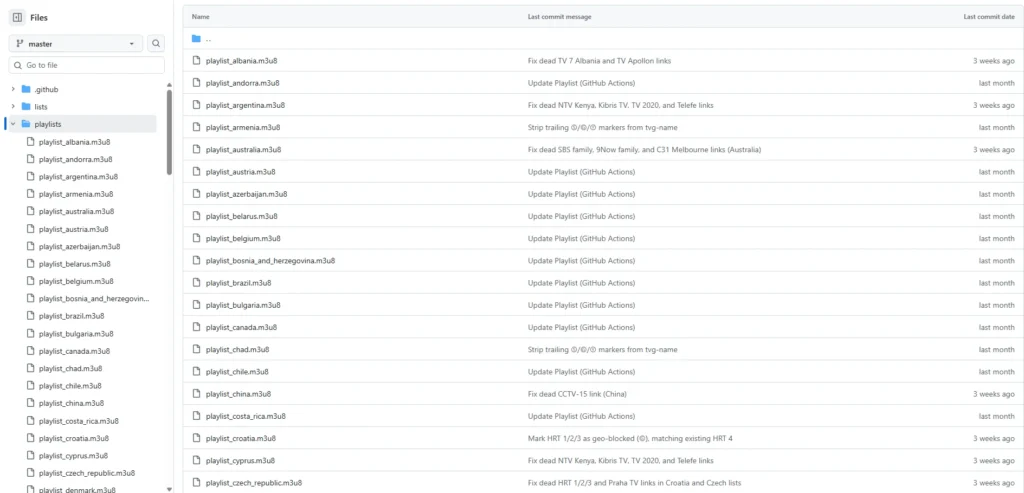
Almost every IPTV GitHub project revolves around an M3U playlist. This is a plain text file that lists channel names, logos, and stream URLs. Your player reads the file and builds a channel list from it.
The iptv-org project splits its work across several linked repositories. The main repository holds the playlists, while iptv-org/epg provides tools for TV guide data. Channel details come from a separate database repository, and a resource index called awesome-iptv points to related tools.
Playlists are also sorted for you. The main list is at https://iptv-org.github.io/iptv/index.m3u, and you can load smaller lists by country, language, or category. For example, the US list sits at https://iptv org.github.io/iptv/countries/us.m3u. A smaller list loads faster and is easier to manage.
Popular IPTV GitHub Projects
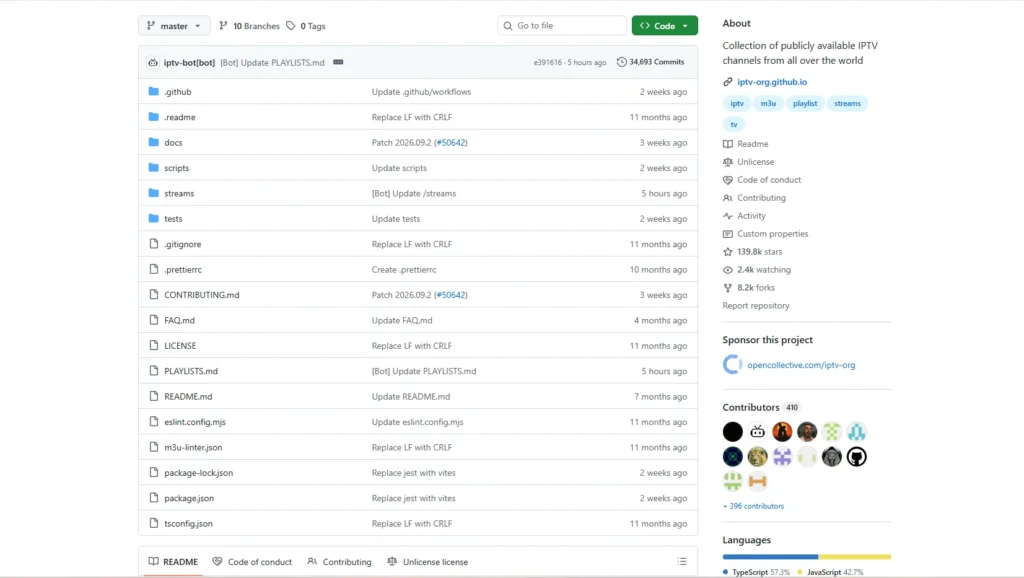
iptv-org/iptv is the largest and the one most guides recommend. It covers a huge range of countries and languages, and volunteers update it constantly. The trade-off is size. A big share of any large list will be down at any given moment.
Free-TV/IPTV takes the opposite approach. It keeps fewer channels, favors HD quality, and aims for streams that actually work. Many users load Free-TV first and add an IPTV-org category list later.
Beyond playlists, GitHub also hosts open-source players, EPG generators, and tools that test whether a stream is still alive. Developers use these to study the M3U format or build their own apps. Most regular viewers will never need them.
How to Use an IPTV GitHub Playlist
You need two things: a playlist link and a player that accepts M3U files. Almost any media player works, including IPTV Smarters Pro, VLC, TiviMate, and Kodi. The steps are the same everywhere.
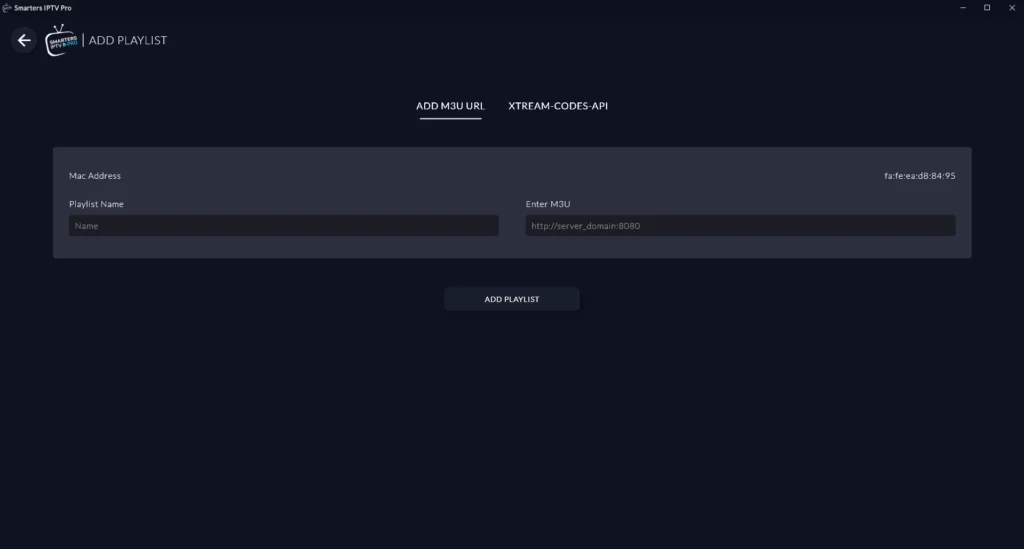
- Open the repository and copy the playlist link you want.
- Open your player and choose the option to add a playlist or network stream.
- Paste the link, save it, and wait for the channel list to load.
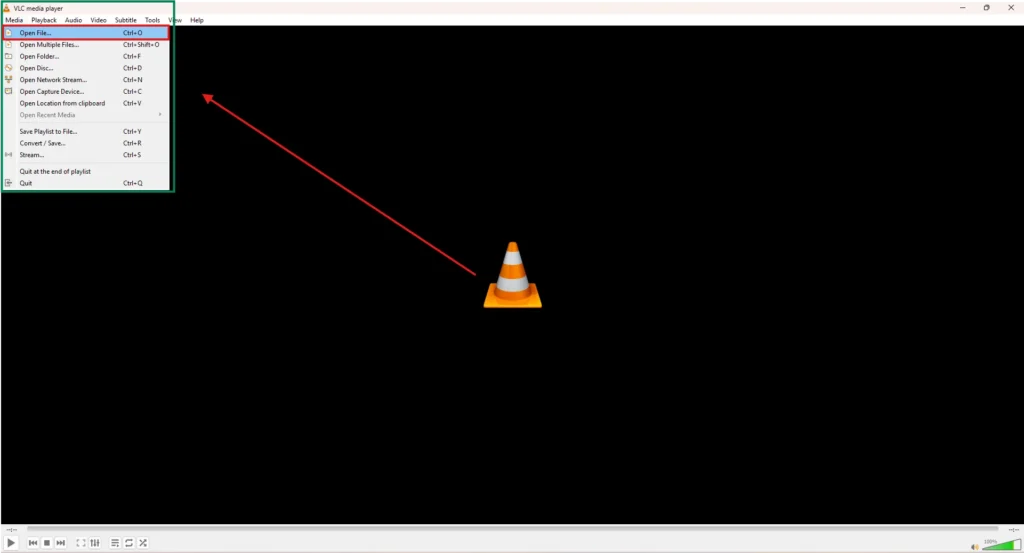
For a desktop walkthrough, see how to set up IPTV on VLC. If you would rather watch on a TV, the guide for IPTV on Firestick covers that route. Start with a small country or category list, confirm it plays, and only then try something bigger.
Is IPTV GitHub Legal?
GitHub itself is not the issue. The technology is legal, and linking to a stream is different from copying it. The real question is whether each stream in the playlist is published by its rights holder for public viewing.
The iptv-org project says it lists publicly available channels and will remove links if a copyright holder opens an issue. Watching a broadcaster’s own free stream, such as a news channel, is generally fine. Watching a paid sports or movie channel through an unofficial link is where people get into trouble, and that can happen even when the link came from a repository that looks respectable.
Rules differ by country, and this is general information, not legal advice. If you want a broader picture, read this breakdown of legal IPTV service providers.
Limitations and Risks of Free GitHub Playlists
The biggest problem is reliability. Free streams break often, channels vanish without notice, and there is nobody to contact when something stops working. Quality also swings between sharp HD and a blurry, buffering feed.

You also lose features people take for granted. Most public lists have no catch-up, no on-demand library, and patchy TV guide data. If you like rewinding live TV, see what catch-up TV offers and how it differs from a basic playlist.
Safety matters too. Stick to plain M3U or M3U8 files from well-known repositories and never open files from random social media posts. A playlist is just text, but a malicious download pretending to be one is not.
IPTV GitHub vs Paid IPTV
Free playlists and paid services solve different problems. The table shows where each one wins.
| Factor | IPTV GitHub playlists | Paid IPTV service |
|---|---|---|
| Cost | Free | Monthly or yearly fee |
| Channel focus | Free-to-air and public streams | Wider mix, including premium content |
| Reliability | Streams drop often | Usually more stable |
| TV guide and catch-up | Limited | Often included |
| Support | Community issue tracker | Direct customer support |
GitHub is a good fit if you are curious, testing a player, or want a few international news and public channels. A paid service suits anyone who wants stable live sports, a guide, and support. Compare options in this list of the best IPTV providers, or use a free trial to test before you commit.
It also helps to know how IPTV differs from other delivery models. This comparison of IPTV vs OTT explains where playlist-based viewing fits.
Tips for Better Results
Pick the right player first, because a good one handles large lists and guide data far better than a basic one. This roundup of the best IPTV players is a useful starting point.
Refresh your playlist every few weeks so new streams replace dead ones. Test on a small list before loading thousands of channels, and remove any channel that keeps failing. These small habits make free playlists feel much less frustrating.
Finally, keep expectations realistic. GitHub playlists are a community project, not a service. If a channel you love disappears, that is the cost of free.
Frequently Asked Questions
-
What is IPTV GitHub?
It is a general term for GitHub repositories that share lists of live TV stream links, usually as M3U playlists. The best-known is iptv-org/iptv. These projects host no video themselves and only point to streams published elsewhere.
-
Is IPTV GitHub free?
Yes, the playlists cost nothing to download or use. You only need a compatible player. The trade-off is that free streams are less stable than paid ones.
-
Is IPTV GitHub safe?
Well-known repositories are generally safe because they use plain text playlists. The risk comes from unknown files and links shared on social media. Only use trusted sources and avoid installing software that a playlist page tells you to download.
-
Why do some IPTV GitHub channels not work?
Streams are hosted by third parties who can change or remove them at any time. Regional restrictions and server overload also cause failures. Re-importing the playlist or switching to a smaller list often helps.
-
What is the best IPTV GitHub repository?
For sheer size, iptv-org/iptv is the most popular choice. For a tidier list with more working HD channels, many people prefer Free-TV/IPTV. Trying both is easy, since each is just a playlist link.
Conclusion
IPTV GitHub is a set of open-source, community-run playlists that point to publicly available live TV streams. It is useful for testing players, exploring free international channels, and learning how M3U files work. It is not a replacement for a stable, supported service, and legality always depends on the stream itself.
Use trusted repositories, start small, and keep your playlist fresh. If you later want reliable live channels with a guide and support, look at the best IPTV subscription options and compare before you pay.
