
If you’ve spent any time setting up IPTV on Firestick, you’ve probably heard one name more than any other: TiviMate. TiviMate Premium is the paid upgrade to one of the most popular IPTV players for Android TV and Fire TV, and it’s what turns a basic channel list into something that feels like a real cable box, with a full TV guide, recording, catch-up, and multiview. But is it worth paying for in 2026, what does it actually cost, and will it even install on your Fire TV Stick? This guide answers all three, then walks you through adding your IPTV playlist step by step.
Key Takeaways
- TiviMate is a media player only. It ships with no channels, so you need your own playlist from an IPTV provider.
- The free app plays your playlist; TiviMate Premium unlocks extra features such as multiple playlists, recording, and deeper customization.
- Premium is sold as an annual plan or a one-time lifetime purchase through the TiviMate Companion app, and the price varies by country.
- TiviMate supports M3U, Xtream Codes, and Stalker Portal playlists, according to its Google Play listing.
- TiviMate is not in the Amazon Appstore, so on a Fire TV Stick you install it with the Downloader app.
- The Fire TV Stick 4K Select runs Amazon’s Vega OS and cannot install TiviMate; choose an Android-based Fire TV model instead.
- Premium makes the app better, but stream quality still depends entirely on your IPTV provider.
What Is TiviMate (and What Isn’t It)?
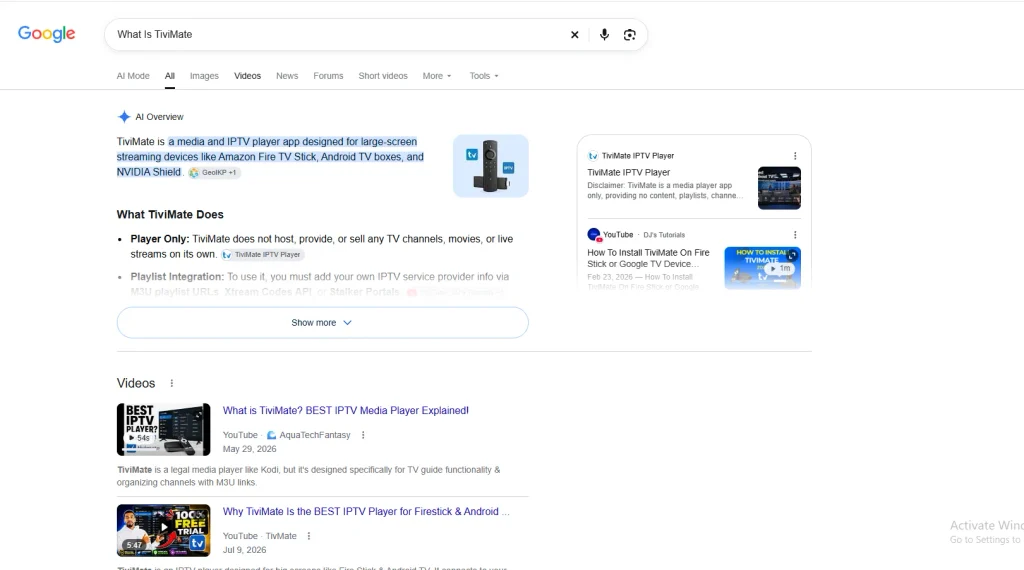
TiviMate is an IPTV player developed by Armobsoft FZE. Its Google Play listing describes it as an app built for Android TV and remote-control navigation, and notes that it isn’t optimized for phones or tablets. At the time of writing, the listing shows 5M+ downloads and a 3.9-star rating from around 8,400 reviews.
The most important thing to understand is that TiviMate does not provide any content. The developer states clearly that it isn’t affiliated with any content provider, and that a premium upgrade unlocks app features only, not channels or streams. To watch anything, you add a playlist from your own provider. If you’re new to how this works, our guide on what IPTV is and how it works covers the basics.
That distinction matters because it means two separate purchases: the player (TiviMate Premium, optional) and the service (your IPTV subscription). A great player can’t fix a weak service. Choosing a provider that works well with the app is just as important, which is why we keep an updated list of the best IPTV services for TiviMate.
A note on legality: TiviMate itself is a legitimate app distributed through Google Play. Whether your viewing is legal depends on the content source you load into it. For fully licensed options, see our roundup of legal IPTV service providers.
TiviMate Premium Features: What You Actually Get
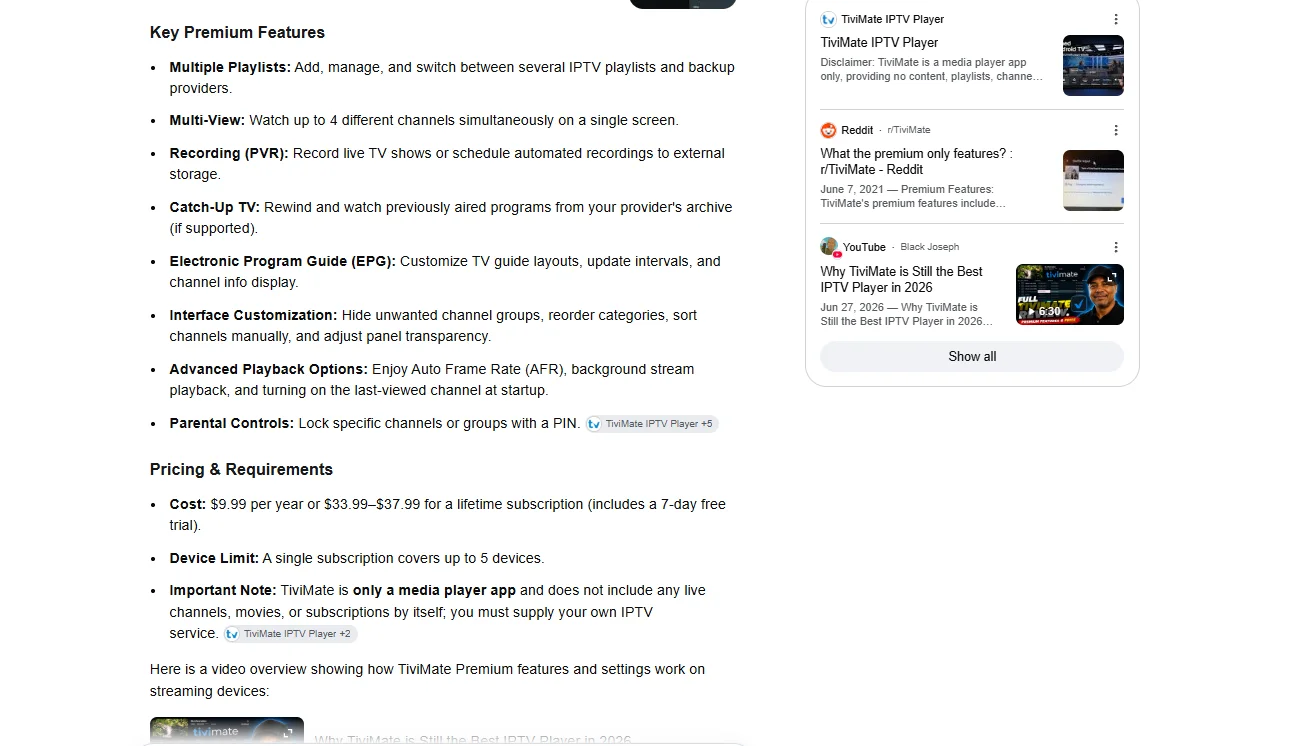
The official TiviMate website and Play Store listing describe the app’s headline features as follows:
- Large-screen interface: a customizable layout designed for TVs and remotes rather than touchscreens.
- Playlist format support: M3U, Xtream Codes, and Stalker Portal.
- TV guide (EPG): a fast grid view of the full program schedule.
- Multiple playlists: manage and switch between several playlists in one app.
- Favorites: bookmark the channels you watch most.
- Catch-up: watch past broadcasts when your provider supports it. Learn more in our explainer on what catch-up TV is.
- Recording: save live shows to watch later.
- Search: find channels and programs quickly.
- Parental controls: restrict access to selected content.
- Multiview: watch several channels on one screen at the same time.
Free vs Premium: Which Features Are Locked?
TiviMate does not publish an official free-versus-premium feature table on its website. Based on widely reported user experience, the free version lets you load a playlist and use the TV guide, while advanced features such as multiple playlists, recording, multiview, and deeper customization require Premium. Because the developer can change this at any time, check the in-app upgrade screen for the current list before you buy. To see how TiviMate stacks up against other apps, read our IPTV player comparison.
| Feature | Free | Premium |
|---|---|---|
| Load an IPTV playlist (M3U / Xtream Codes / Stalker) | Yes | Yes |
| TV guide (EPG) | Yes | Yes |
| Multiple playlists | Commonly reported as locked | Yes |
| Recording | Commonly reported as locked | Yes |
| Multiview | Commonly reported as locked | Yes |
| Advanced customization | Commonly reported as limited | Yes |
| Use on several devices with one account | No | Yes (buyers report up to 5 devices) |
How Much Does TiviMate Premium Cost in 2026?
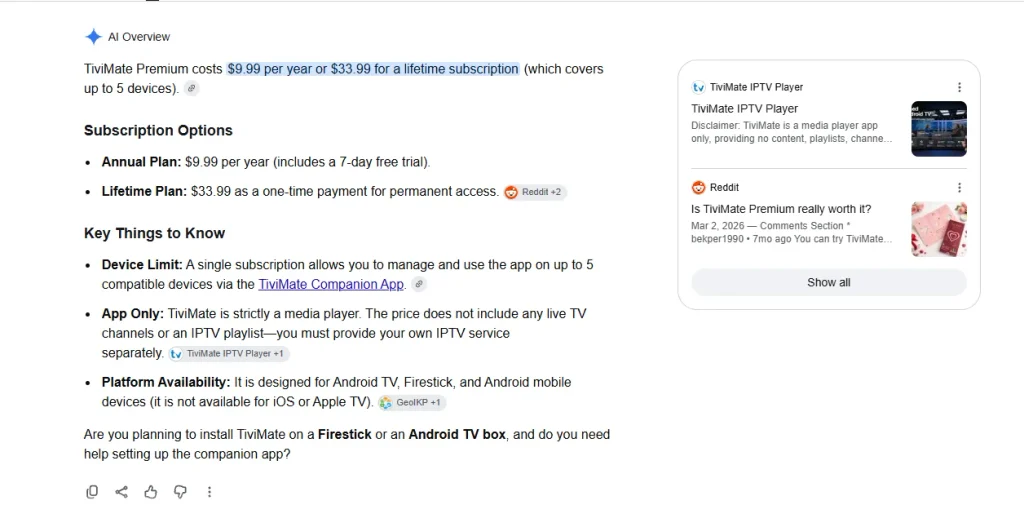
TiviMate Premium is purchased through the separate TiviMate Companion app on an Android phone or tablet, and it comes in two forms: an annual subscription or a one-time lifetime payment. Reviewers on Google Play mention both options, and buyers report that one Premium account can be linked to up to five devices.
The exact price is not published on TiviMate’s website, and it varies by Google Play country and currency. Deal communities in Europe have documented very different lifetime prices depending on the store region, so any single figure you see online may not match what you’ll pay. The only reliable number is the one shown in the Companion app for your own account.
Is TiviMate Premium Worth It?
For most people who watch IPTV every day, yes. If you only ever use one playlist and never record, the free version may be enough. Premium earns its keep if you:
- use more than one provider or keep a backup playlist,
- want to record shows or watch several channels at once,
- run TiviMate on several TVs in the same household.
Still undecided? Compare it with the alternatives in our guide to the best IPTV players.
Will TiviMate Work on Your Fire TV Stick?
The Fire TV Stick is the most common way people run IPTV on a TV. Amazon said in 2024 that it had sold more than 250 million Fire TV devices worldwide, as reported by AFTVnews. But not every Fire TV model can run TiviMate in 2026.
In October 2025, Amazon launched the Fire TV Stick 4K Select, the first stick to run its Linux-based Vega OS instead of the Android-based Fire OS. Vega OS does not run Android apps, and Tom’s Guide reports that sideloading Android apps isn’t possible on it. AFTVnews also reports that Amazon’s developer documentation says all future Fire TV Sticks will run Vega.
| Device | Operating system | Can run TiviMate? |
|---|---|---|
| Fire TV Stick 4K Select | Vega OS | No (no Android apps or normal sideloading) |
| Fire TV Stick 4K Plus, 4K Max, Fire TV Cube and other Fire OS models | Fire OS (Android-based) | Yes, via the Downloader app |
| Android TV / Google TV devices | Android TV | Yes, from Google Play |
If you’re buying a new stick specifically for Firestick IPTV, check the model name carefully. For a full device-by-device breakdown, read our guide to IPTV for Firestick.
How to Download IPTV on Firestick with TiviMate
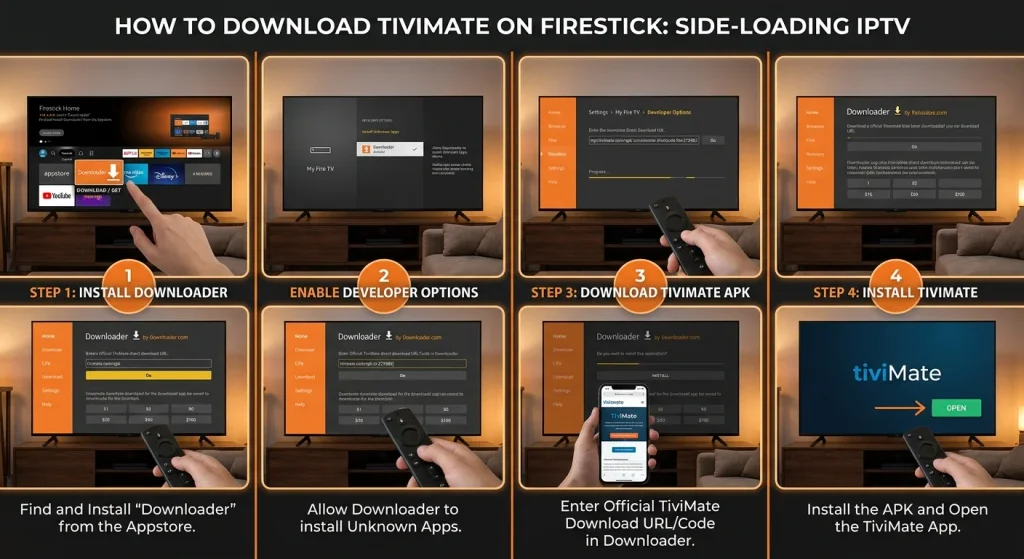
TiviMate isn’t available in the Amazon Appstore, so on a Fire OS stick, you install it with Amazon’s free Downloader app. This is the standard method for installing an IPTV app on Firestick.
Step 1: Install Downloader
From the Fire TV home screen, open Find, search for “Downloader”, and install it from the Amazon Appstore.
Step 2: Allow Downloader to install apps
Go to Settings > My Fire TV > Developer Options. If you don’t see Developer Options, open Settings > My Fire TV > About and click your device name seven times to reveal it. Then open Install unknown apps and turn it on for Downloader.
Step 3: Download TiviMate from the official source
Open Downloader and enter the download address listed on the official TiviMate website. Avoid modified or “pre-unlocked” APKs from third-party sites; they can carry malware and won’t receive updates.
Step 4: Install and open TiviMate
When the download finishes, select Install, then Open. You can delete the APK file afterwards to free up storage.
How to Add Your IPTV Playlist to TiviMate
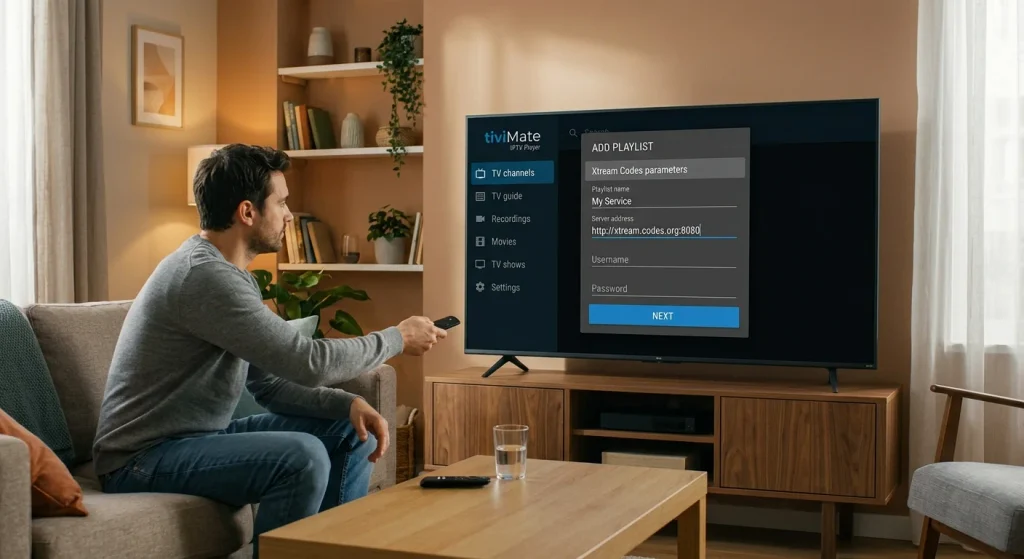
Once TiviMate is installed on your IPTV Fire Stick, you’ll see an Add playlist option on the welcome screen. Your provider will give you login details in one of three formats:
- M3U link: a single URL that contains your channel list. See our explainer on what an M3U playlist is.
- Xtream Codes: a server URL, username, and password.
- Stalker Portal: a portal URL linked to your device’s MAC address.
Not sure which one you have? Our comparison of IPTV URL, M3U, and MAC address logins explains the differences.
- Select Add playlist.
- Choose the format that matches the details from your provider.
- Enter the URL (and username and password for Xtream Codes).
- Give the playlist a name and confirm.
- Wait for TiviMate to load your channels and the TV guide, then select Done.
If the TV guide is empty, check whether your provider supplies a separate EPG link and add it in the app’s EPG settings. Many viewers also run a VPN for privacy; if you do, our guide to the best VPN for IPTV compares options that work on Fire TV.
How to Unlock TiviMate Premium
- On an Android phone or tablet, install TiviMate Companion from Google Play.
- Create a TiviMate account in the Companion app.
- Choose the annual or lifetime plan and complete the purchase.
- On your Fire TV Stick or Android TV, open TiviMate, go to Settings, choose the option to unlock Premium, and sign in with the same account.
If you reach your device limit, you can remove an old device from your account in the Companion app and then sign in on the new one.
Verdict: Is TiviMate Premium Right for You?
| You are… | Recommendation |
|---|---|
| A casual viewer with one playlist | Start with the free version |
| A daily IPTV viewer who wants recording or multiview | Upgrade to Premium (annual) |
| Running IPTV on several TVs long term | Premium lifetime is usually the better value |
| A Fire TV Stick 4K Select owner | TiviMate won’t run; consider an Android-based device |
TiviMate Premium remains one of the strongest upgrades you can make to IPTV on Firestick and Android TV in 2026. It doesn’t add channels, but it makes your existing service far easier to browse, record and share across devices. Pair it with a reliable provider, buy it only from the official Companion app, and check your Fire TV model before you start. Ready to choose a service? Browse our list of the top IPTV providers for TiviMate or our wider guide to the best IPTV providers.
Frequently Asked Questions
-
Is TiviMate Premium worth it?
Yes, if you watch IPTV regularly. Premium adds features such as multiple playlists, recording and multiview, and one account covers several devices. Casual viewers with a single playlist can try the free version first.
-
How much is TiviMate Premium?
TiviMate Premium is sold as an annual subscription or a one-time lifetime purchase through the TiviMate Companion app. The price depends on your Google Play country and currency, so check the Companion app for your exact cost.
-
Can I use TiviMate on Firestick?
Yes, on Fire TV models running Fire OS, such as the Fire TV Stick 4K Plus, 4K Max and Fire TV Cube. You install it with the Downloader app because it isn’t in the Amazon Appstore. It won’t run on the Vega OS-based Fire TV Stick 4K Select. Our Firestick IPTV setup guide covers other compatible apps.
-
How many devices can use TiviMate Premium?
Buyers consistently report that one TiviMate Premium account can be activated on up to five devices. You can manage linked devices from the TiviMate Companion app.
-
Does TiviMate come with channels?
No. TiviMate is only a player. You need a playlist from an IPTV provider, added as an M3U link, Xtream Codes login, or Stalker Portal.
