
After signing up for the Internet Protocol Television (IPTV) service, many users are unsure which IPTV player to use. After researching for more than 6 months, I can conclude that TiviMate is the most suitable IPTV player thanks to its easy installation, seamless streaming, catch-up feature, eye-catching interface, and more.
Choosing the right IPTV player can be just as important as choosing the right subscription. The same channel list can look and feel completely different depending on which app you use to watch it. Some players are built for simplicity, others for deep customization, and some are designed specifically for one device type, like Firestick or Android TV.
In this guide, we’ll break down the most widely used IPTV streaming apps available in 2026, compare their features side by side, and help you figure out which one could be the best option for you.
What is IPTV Player?
An IPTV player is an app that lets you watch the channels, movies, and shows provided by your IPTV subscription. It doesn’t include any content on its own; instead, it takes the playlist or login details given by your provider and turns them into a watchable interface on your device.
In simple terms, your IPTV subscription is the source of the content, and the IPTV player is the app you use to actually browse and play that content. You enter your M3U playlist link or Xtream Codes login into the player, and it organizes everything into Live TV channels, a program guide, and on-demand movies or series.
Without an IPTV player, a playlist link is just a list of stream URLs with no real interface. The player is what turns that raw data into something that looks and feels like a TV experience, complete with channel logos, categories, and an (EPG) Electronic Program Guide if supported.
This is why picking the right IPTV player matters just as much as picking a good subscription. The same channel list can feel completely different depending on whether it’s loaded into a simple app or a polished, feature-rich player like TiviMate or IPTV Smarters Pro.
How does IPTV Player work?
Because the IPTV player is what you interact with every single day, the right choice affects almost everything. An IPTV player connects to your provider’s server using the M3U playlist or Xtream Codes login you enter into the app. Once connected, it pulls in your channel list, EPG data, and any VOD content your provider offers.
When you select a channel or title, the player requests that stream from the server and decodes it for playback, the same way any video player works, just delivered continuously over the internet instead of through cable or satellite.
Since there’s no physical broadcast involved, playback quality depends mainly on your internet connection and the provider’s server stability, while the player itself determines how smoothly and clearly that content is organized and displayed.
Benefits of Using a Dedicated IPTV Player
- Organized viewing: Channels, movies, and series are sorted into clear categories instead of a raw list.
- EPG support: See what’s airing now and what’s coming up next, like a regular TV guide.
- Better playback: Optimized streaming engines mean smoother, more stable viewing.
- Multi-device access: Many players work across Android, Firestick, Smart TVs, and more.
- Easy playlist management: Quickly load or switch between M3U and Xtream Codes connections.
What Makes a Good IPTV Player?
Before comparing individual apps, it helps to understand the features that actually separate a good IPTV player from a mediocre one.
User Interface
A clean, intuitive interface matters more than people expect. Some players use a traditional grid-style TV guide, while others rely on simple scrollable lists. Remote-friendly navigation is especially important on Firestick and Android TV, where you’re controlling everything with a directional pad instead of a mouse or touchscreen.
EPG Support
The Electronic Program Guide (EPG) shows what’s currently airing and what’s coming up next on each channel, similar to a traditional cable guide. Without it, you’re left guessing what’s actually on. Players that support EPG well typically let you load an XMLTV file or pull guide data automatically through Xtream Codes.
VOD Support
Video on Demand (VOD)lets you watch movies and TV series whenever you want, rather than waiting for a scheduled broadcast. Not every player handles VOD libraries the same way; some organize them neatly into categories and posters, while others just list raw filenames.
Device Compatibility
Some players are built specifically for Android-based devices like Firestick and Android TV boxes. Others are cross-platform, running on Windows, Mac, iOS, and smart TVs as well. If you watch on more than one type of device, compatibility becomes a major factor.
Playlist Management
Most IPTV players support M3U playlists (a simple text-based channel list), and many also support the Xtream Codes API, which is a more structured way of connecting to a provider that often unlocks automatic EPG, VOD organization, and catch-up support.
Playback Quality
Buffering, stream stability, and how well the app handles different video formats and resolutions all depend on the player’s underlying engine, not just your internet connection.
External Player Support
Some apps let you hand off playback to an external media player (like VLC or MX Player) for better format compatibility or troubleshooting, while others use only their own built-in player.
7 Top IPTV Players for Firestick/Android TV/Apple TV/Windows
Below are 7 of the most widely used IPTV players, covering everything from beginner-friendly apps to advanced, fully customizable setups, so you can pick the one that best fits your device and viewing style.
1. TiviMate
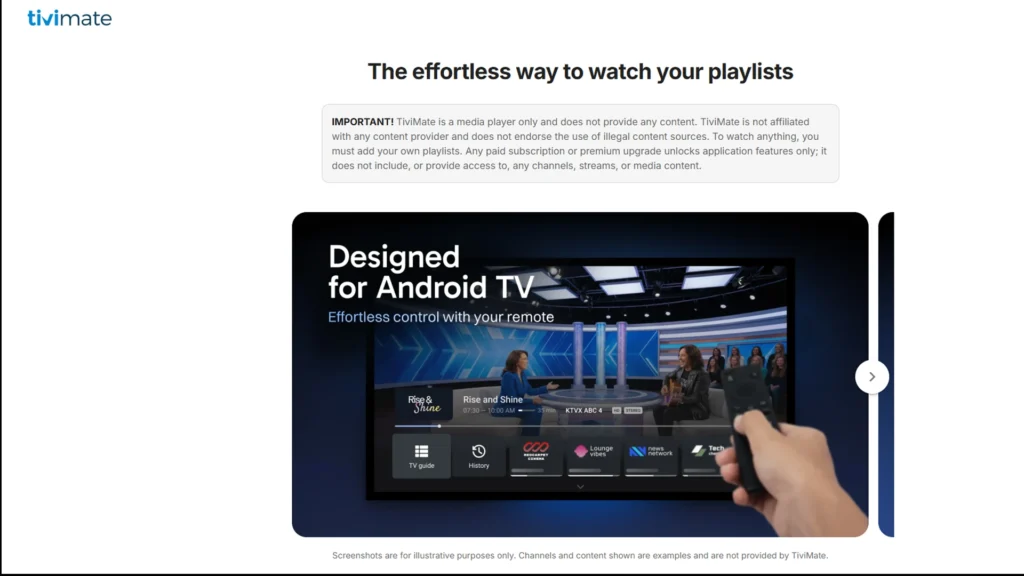
TiviMate is an IPTV player built specifically for Android TV-based devices, including Amazon Fire TV, Fire TV Stick, and Android TV boxes. It’s widely regarded as one of the best IPTV players for users who want a TV-guide-style experience rather than a bare-bones media player, thanks to its grid layout, fast channel switching, and cable-box-like navigation.
Supported Devices
TiviMate is designed specifically for the Android TV and Fire TV ecosystem, including Nvidia Shield, Google TV, and Android TV smart TVs. It is not built for touchscreen phones or tablets as a primary interface, and it is not available on iOS or Windows so cross-platform users will need a different app for those devices.
Main Features
TiviMate supports both M3U and Xtream Codes playlists, offering broad compatibility with most IPTV providers. It features a grid-style EPG, customizable channel favorites and groups, and, in the premium tier — support for multiple playlists, catch-up TV, and DVR/recording on providers and devices that support it. A multi-view mode on newer versions also lets users watch more than one channel at once, which is popular during live sports.
EPG Support
TiviMate includes a built-in Electronic Program Guide (EPG) that mimics a traditional cable TV guide. When connected via Xtream Codes, EPG data typically loads automatically since it’s pulled directly from the provider’s server. With M3U playlists, users may need to manually add a separate XMLTV EPG URL to populate show times and descriptions.
Playlist Support
Both M3U and Xtream Codes connections are fully supported. Xtream Codes generally unlocks more automatic features out of the box — including catch-up TV and neatly organized VOD/series sections, while M3U remains the more universal, if slightly more manual, option.
Installation
TiviMate is available directly on the Google Play Store for Android TV and Google TV devices. It is not listed on the Amazon App Store, so Firestick users typically install it by sideloading through the Downloader app.
Pricing
TiviMate offers a free version with ads and limited functionality (for example, adding channels to Favorites may prompt an upgrade screen). The Premium tier costs around $10/year or a one-time lifetime fee of about $30, unlocking multiple playlists, recording, and an ad-free experience. Premium is activated through the separate TiviMate Companion App.
| Pros | Cons |
| Polished, TV-friendly interface designed for remote navigation | Not designed for phones, tablets, iOS, or Windows |
| Strong EPG and channel organization tools | Not available on the Amazon App Store, requires sideloading on Firestick |
| Supports both M3U and Xtream Codes | Some advanced features (multiple playlists, recording) are limited to the premium version |
| Active development with frequent updates |
Best For
Firestick and Android TV users who want a cable-guide-style experience with strong EPG and channel organization tools.
2. IPTV Smarters Pro
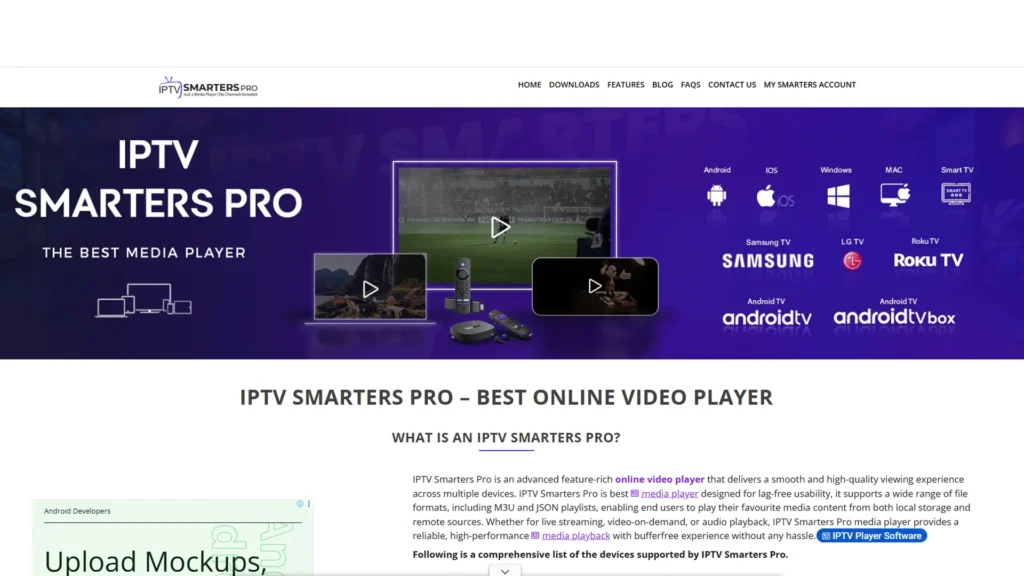
IPTV Smarters Pro has been one of the most widely used IPTV players for years, and it’s often the first app recommended to newcomers. The reason is simple: it strips away a lot of the manual configuration that other players require and gets you from “I just got my subscription” to “I’m watching channels” in a matter of minutes. Unlike TiviMate, which is built almost exclusively around the Android TV/Fire TV ecosystem, IPTV Smarters Pro was designed from the ground up to work identically across a huge range of platforms, which is a big part of why it has such a large, loyal user base.
Supported Devices
IPTV Smarters Pro runs natively on Android phones and tablets, iOS (iPhone and iPad), Firestick/Fire TV Stick, Android TV boxes, Windows PCs, and Mac. This cross-platform reach is arguably its single biggest advantage over apps like TiviMate. If you switch between watching on your phone during a commute, your Firestick at home, and your laptop at work, IPTV Smarters Pro is one of the few apps that will give you a consistent experience on all three without needing three different apps.
Main Features
The app supports both M3U playlist URLs and the more structured Xtream Codes API, and it automatically separates your content into three clean tabs: Live TV, Movies, and Series. It includes parental controls with a PIN lock for restricted categories, a multi-screen/PIP mode on some versions for watching more than one channel, and the ability to save multiple user profiles if different family members use different playlists or providers. There’s also a built-in EPG timeline that scrolls horizontally, similar to what you’d see on a modern cable box.
Xtream Codes Support
This is where IPTV Smarters Pro really shines. Instead of pasting in a raw playlist link and manually configuring an EPG source separately (as you often have to with M3U), you simply enter three fields: the server/portal URL, your username, and your password, and the app pulls in everything: live channels sorted by category, a fully populated program guide, and a structured VOD library, all automatically. This drastically reduces setup errors, which is a big reason it’s considered the most beginner-friendly option on this list.
VOD Support
When connected via Xtream Codes, the Movies and Series sections look and feel like a proper streaming service — complete with poster artwork, descriptions, genres, and release years — rather than a flat, unsorted list of file names, which is what you’d get from a basic M3U-only player.
Interface & Usability
The interface uses a simple sidebar/tab layout that works equally well whether you’re tapping on a touchscreen or navigating with a remote’s directional pad, which is part of why it translates so cleanly across phones, TVs, and desktops without needing separate app builds for each.
| Pros | Cons |
| Extremely simple setup, especially with Xtream Codes (just 3 fields to enter) | Interface customization (themes, layout tweaks) is more limited compared to TiviMate |
| Truly cross-platform — Android, iOS, Windows, Mac, Firestick, Android TV | EPG display can feel less detailed/grid-like compared to TiviMate’s dedicated guide view |
| Clean, beginner-friendly Live TV / Movies / Series layout | |
| Parental controls and multi-profile support |
Best For
Beginners, and anyone who wants the same app and login experience whether they’re on a phone, a laptop, or a TV.
3. XCIPTV
XCIPTV occupies an interesting middle ground in the IPTV player space; it’s not as cross-platform as IPTV Smarters Pro, and not quite as polished as TiviMate, but it makes up for that with one particular strength: playback flexibility. Instead of forcing every stream through its own internal engine, it gives users the option to fall back on trusted external players when a stream isn’t behaving well.
Supported Devices
XCIPTV is built for Android phones/tablets, Android TV boxes, and Fire TV/Firestick devices. It doesn’t have official iOS or Windows apps, so its audience overlaps heavily with the Android/Firestick crowd rather than cross-platform users.
Built-In Player vs. External Player
By default, XCIPTV plays everything through its own built-in media engine, which handles the vast majority of streams without issue. However, some IPTV streams, particularly ones using less common codecs, higher bitrates, or specific container formats, can behave inconsistently on certain built-in players.
XCIPTV addresses this by letting you designate an external player, most commonly VLC or MX Player, as the playback engine instead. This means if a channel buffers, crashes, or won’t play through the default engine, you can switch playback to VLC without leaving the app or losing your channel list and EPG setup a genuinely useful troubleshooting feature that not every player offers.
IPTV Compatibility
XCIPTV supports both M3U playlists and Xtream Codes connections, and includes EPG functionality for live channel schedules once a guide source is configured. Setup generally mirrors what you’d expect from other Xtream-Codes-compatible apps: enter your server details, and it’ll populate channels and guide data automatically.
Interface
The layout is functional rather than flashy: channel lists, categories, and a settings menu. While it gets the job done, reviewers and users consistently note that it doesn’t have the same visual polish as TiviMate’s grid guide or IPTV Smarters Pro‘s tabbed layout.
| Pros | Cons |
| Ability to switch between built-in and external players (VLC, MX Player) for better compatibility | No iOS or Windows support |
| Supports both M3U and Xtream Codes | Interface feels less refined/modern compared to TiviMate or IPTV Smarters Pro |
| Reasonably straightforward setup for Fire TV and Android users |
Best For
Fire TV and Android users who occasionally run into playback issues and want the built-in flexibility to reroute streams through VLC or another external player.
4. VLC Media Player
VLC deserves a spot on this list for a very different reason than the other apps; it isn’t a dedicated IPTV player at all. It’s a general-purpose, open-source media player developed by the nonprofit Video LAN project, originally built to play local video and audio files in virtually any format. Its relevance to IPTV comes from the fact that it can also open network stream URLs and playlist files, which happens to be exactly what an M3U-based IPTV subscription provides.
M3U Support
VLC can open both M3U and M3U8 playlist files directly, either by loading a local file from your device or by pasting a playlist URL straight into VLC’s “Open Network Stream” dialog. Once loaded, VLC parses the playlist and lists out each channel/stream entry, which you can click to start playback immediately. There’s no dedicated “channel guide” screen; it’s essentially a raw playlist turned into a clickable list.
Cross-Platform Compatibility
This is VLC’s biggest strength by far. It’s available on Windows, Mac, Linux, Android, iOS, and Android TV, and the core playback experience is nearly identical across all of them. Because it’s not tied to any particular operating system’s app store restrictions in the way some IPTV-specific apps are, it tends to remain consistently available and updated everywhere.
Streaming Capabilities
VLC’s playback engine is built on libVLC, which supports an enormous range of video/audio codecs and streaming protocols (HLS, RTSP, RTMP, UDP, and more) without needing extra codec packs. This is exactly why so many IPTV guides recommend VLC as the first thing to test a new M3U link with — if a stream plays in VLC, you know the link itself is valid, and any issues you see in a dedicated IPTV app are likely related to that app rather than your subscription.
What It Lacks
VLC was never designed to be a “TV experience.” There’s no Electronic Program Guide, no catch-up/replay functionality, no way to save channels as favorites or organize them into custom groups, and no automatic VOD categorization; you’re working with a raw list, not a curated interface.
| Pros | Cons |
| Completely free, open-source, no premium tier or ads | No EPG (no program guide/schedule) |
| Extremely broad format, codec, and protocol support | No catch-up TV or DVR functionality |
| Ideal for quickly testing whether an M3U link or individual stream URL actually works | No channel favorites, groups, or VOD organization — just a flat playlist |
| Available on virtually every platform |
Best For
Diagnosing whether an IPTV playlist or specific stream URL is working, or for technically-minded users who just want raw playback without any of the “TV app” extras.
5. GSE Smart IPTV
GSE Smart IPTV is aimed squarely at users who juggle more than one IPTV source at once — resellers, testers, or just people who’ve collected multiple playlists over time — and want a single app flexible enough to hold all of them without constantly switching apps or logging out and back in.
Device Compatibility
GSE Smart IPTV is available on Android phones/tablets, iOS, Android TV, Fire TV, and a selection of smart TV platforms, giving it a wider device footprint than Android-only players like TiviMate or XCIPTV, though it’s not quite as universally available as IPTV Smarters Pro or VLC.
Playlist Support
The app supports M3U and M3U8 playlists, Xtream Codes connections, and even lets users manually build channel lists from individual stream URLs if needed. The standout feature here is multiple playlist management; you can add several different playlists or provider logins into the same app and switch between them from a menu, rather than having to delete and re-add a playlist every time you want to change providers.
EPG Support
GSE Smart IPTV supports XMLTV-based EPG sources, which can be added independently of your playlist. This means even if your provider doesn’t supply automatic guide data, you can often find a public or third-party XMLTV feed and load it in manually to get program schedules working.
Customization
The settings menu is genuinely extensive; buffer size, parental controls, screen aspect ratio, external player options, and playlist-specific settings can all be tweaked individually. This is a double-edged sword: power users appreciate the granular control, but newcomers often find the sheer number of menus and options overwhelming compared to the more streamlined setup flow of IPTV Smarters Pro.
| Pros | Cons |
| Handles multiple playlists/providers within a single app | Interface and settings menus can feel cluttered or overwhelming for beginners |
| Wide device compatibility (Android, iOS, Android TV, Fire TV, select smart TVs) | Less visually polished than TiviMate’s guide-focused design |
| Flexible EPG options, including manual XMLTV support | |
| Deep, granular customization settings |
Best For
Users managing multiple IPTV playlists or provider accounts who want one app to handle all of them without constant reconfiguration.
6. Kodi 21.3 “Omega”
Kodi is fundamentally different from every other entry on this list; it isn’t an IPTV player, it’s a full home media center application, maintained by the nonprofit Kodi Foundation (formerly XBMC). Out of the box, Kodi is built to organize and play your local movie, TV, and music libraries with rich metadata, artwork, and a fully skinnable interface. IPTV becomes just one more source it can pull into that same unified interface, but only once you add the right add-on.
IPTV Integration Options
Kodi handles live TV through its PVR (Personal Video Recorder) subsystem, originally designed for connecting Kodi to traditional TV tuner hardware and DVR backends. IPTV support is added by installing a PVR client add-on that treats your M3U playlist as if it were a tuner source, feeding channels and guide data into Kodi’s native TV interface.
PVR IPTV Simple Client
This is by far the most popular add-on for the job. Once installed and enabled from Kodi’s add-on settings, it asks for two things: your M3U playlist URL (or a local file path) and an XMLTV EPG URL for program guide data. Once configured, Kodi’s built-in “TV” section behaves just like a regular live TV guide, complete with channel numbers, a scrollable schedule, and the ability to set reminders — all running inside the same app as your movie and show library.
Customization Features
This is where Kodi genuinely outclasses every dedicated IPTV player on this list. Because it’s an open platform, users can install skins to completely change the visual layout, add-ons for additional functionality (subtitle downloaders, scrapers for metadata, alternate PVR clients, and more), and fine-tune nearly every aspect of playback and library behavior. It’s less “IPTV app” and more “build your own TV platform.”
The Trade-off
All of that power comes at the cost of simplicity. There’s no single “enter your login and go” flow — you have to install Kodi, then separately install and configure a PVR add-on, then add your playlist and EPG URLs inside that add-on’s settings menu. It’s not difficult once you’ve done it, but it’s noticeably more involved than any of the other players covered here.
| Pros | Cons |
| Completely free and open-source, no premium tier | Requires manual setup of a separate PVR add-on — not plug-and-play |
| Unmatched customization through skins and add-ons | Steeper learning curve than dedicated IPTV apps |
| Combines IPTV with a full local media library/home theater setup in one app | |
| Active, long-running community and development (Kodi has existed for close to two decades) |
Best For
Power users and home theater enthusiasts who want IPTV folded into a fully customizable, all-in-one media center rather than a standalone app.
7. IPTV Player (Generic Players)
Outside of the well-known named apps above, app stores are full of smaller, generic apps simply titled something like “IPTV Player,” “Live IPTV,” or similar. These aren’t a single product; they’re a whole category of lightweight, often single-developer apps that cover the bare minimum of what’s needed to watch an IPTV playlist, without the polish, support, or advanced feature set of the dedicated apps covered earlier in this guide.
Supported Devices
Availability is inconsistent from app to app, but the overwhelming majority target Android phones and Android TV/Fire TV devices, since Android’s more open app-installation policies make it easy for smaller developers to publish and for users to sideload these apps without needing official store approval in every case.
Core Functionality
At their core, these apps do one thing: take an M3U playlist URL, parse it, and display the resulting channel list for playback. Some go a step further and support a basic EPG if you supply an XMLTV link separately, but this isn’t guaranteed; you’ll need to check each individual app’s description or settings menu to confirm.
Playlist Support
M3U is essentially universal among these generic apps since it’s the simplest format to implement. Xtream Codes support is hit-or-miss and varies significantly from app to app; some include it, many don’t, so it’s worth verifying before relying on one if your provider only issues Xtream Codes logins.
Why Quality Varies So Much
Because these apps are often built by small, independent developers rather than dedicated IPTV companies, update frequency, stability, and feature depth can vary enormously. Some are perfectly serviceable for basic live TV viewing; others are abandoned after a single release and may stop working reliably over time. This inconsistency is the main reason dedicated apps like TiviMate and IPTV Smarters Pro remain the more commonly recommended options.
| Pros | Cons |
| Lightweight, simple, and fast to set up for basic playback | Feature sets and reliability vary significantly between apps |
| Usually free to download | Little to no VOD organization, EPG, or catch-up support in most cases |
| Very low learning curve — often just “paste link and watch” | Update frequency and long-term support are inconsistent |
Best For
Users who just want a quick, no-frills way to test a playlist or watch live channels without needing any of the extra features found in dedicated apps.
Comparison Table for Best IPTV Players for all Devices
The table below summarizes how each IPTV player stacks up across device support, EPG, VOD, and playlist compatibility, so you can quickly compare them at a glance before picking one for your setup.
| Player | Android | Firestick | Smart TV | Xtream Codes Support |
|---|---|---|---|---|
| TiviMate | Yes | Yes (sideload) | Limited | Yes |
| IPTV Smarters Pro | Yes | Yes | Limited | Yes |
| XCIPTV | Yes | Yes | No | Yes |
| VLC Media Player | Yes | Limited | Limited | No |
| GSE Smart IPTV | Yes | Yes | Limited | Yes |
| Kodi 21.3 Omega | Yes | Yes (sideload) | Limited | Via add-ons |
| Generic IPTV Player | Yes | Varies | Varies | Varies |
Which IPTV Player Is Best for Different Users?
Not every IPTV player suits every viewer. Here’s a quick breakdown of which app works best depending on your device and how you like to watch.
Beginners
If you’re new to IPTV altogether, IPTV Smarters Pro is generally the most approachable starting point. Its Xtream Codes setup process is short, and the interface clearly separates Live TV, Movies, and Series without much configuration.
Firestick Users
Firestick users typically land on either TiviMate or IPTV Smarters Pro. TiviMate offers a more cable-guide-like experience, while IPTV Smarters Pro is faster to set up. Both require the same general sideloading process for apps not available directly on the Amazon App Store.
Android TV Users
Android TV box users have the most flexibility, since nearly every player on this list runs natively on Android TV. TiviMate and GSE Smart IPTV are particularly strong choices here thanks to their remote-friendly navigation.
Power Users
Users who manage multiple providers, want recording capability, or like fine-grained control over channel groups and EPG sources tend to gravitate toward TiviMate’s premium tier or GSE Smart IPTV’s multi-playlist management.
Customization Lovers
For anyone who wants to build out a full home media center rather than just a channel list, Kodi 21.3 “Omega” paired with the PVR IPTV Simple Client offers the deepest level of customization on this list, including skins, add-ons, and integration with local media libraries.
6 Common IPTV Player Features: Check Thoroughly
Here are the most common TV over broadband features you should check that can help you to enjoy a more sophisticated IPTV streaming experience.
M3U Playlist
An M3U (or M3U8) playlist is a plain text file containing a list of stream URLs, each typically labeled with a channel name and logo. Your IPTV provider generates this list, and you paste the playlist URL into your chosen player to load your channels.
Xtream Codes API
Xtream Codes is a more structured connection method than a basic M3U link. Instead of a single playlist URL, you enter a server address, username, and password. This often automatically pulls in live channels, EPG data, and organized VOD/series sections without extra configuration.
EPG (Electronic Program Guide)
The EPG is the schedule data that tells your player what’s currently airing and what’s coming up on each channel, similar to the guide on a traditional cable box.
Catch-Up TV
Catch-up (sometimes called “TV replay”) allows you to watch a program that has already aired within a recent time window, rather than only live or pre-recorded VOD content. Availability depends on both the player and whether your provider supports catch-up data.
VOD (Video on Demand)
VOD refers to on-demand movies and TV series that you can watch at any time, rather than according to a broadcast schedule. We cover this in more depth in our guide to getting the most out of your VOD library.
External Players
Some IPTV apps allow you to route playback through a separate, external media player rather than their own built-in engine. This can help with format compatibility or troubleshooting playback issues on certain devices.
Frequently Asked Questions About IPTV Player
Here are quick answers to the most common questions people ask before choosing an IPTV player.
-
What is the best IPTV player?
There isn’t a single universal answer; it depends on your device and how you like to watch. TiviMate is popular for its TV-guide-style interface on Android TV and Fire TV, while IPTV Smarters Pro is favored for its simple, cross-platform setup.
-
Is TiviMate better than IPTV Smarters Pro?
They serve slightly different needs. TiviMate offers a more customizable, cable-guide-style experience but is limited to Android-based devices. IPTV Smarters Pro is easier to set up and runs on more platforms, including iOS and Windows.
-
Does VLC work with IPTV?
Yes. VLC can open M3U and M3U8 playlists and play IPTV streams, though it lacks EPG, catch-up, and VOD organization features found in dedicated IPTV apps.
-
Is Kodi good for IPTV?
Kodi can work well for IPTV when paired with the PVR IPTV Simple Client add-on, but it requires manual setup rather than the more plug-and-play experience of dedicated IPTV apps.
-
Which IPTV player supports EPG?
TiviMate, IPTV Smarters Pro, XCIPTV, GSE Smart IPTV, and Kodi (via the PVR IPTV Simple Client) all support EPG functionality. VLC does not include EPG support.
-
Which IPTV player is easiest to use?
IPTV Smarters Pro is generally considered the easiest to set up, particularly for users connecting via Xtream Codes.
-
What IPTV player works on Firestick?
TiviMate, IPTV Smarters Pro, XCIPTV, and GSE Smart IPTV all run on Firestick, though some require sideloading via the Downloader app since they aren’t available on the official Amazon App Store.
-
Do I need Xtream Codes, or is M3U enough?
M3U is enough for basic live TV viewing. Xtream Codes typically unlocks more automatic features, such as organized VOD sections and automatic EPG, depending on the player.
-
Can I use more than one IPTV player with the same subscription?
In most cases, yes. Your M3U playlist or Xtream Codes login can usually be added to multiple player apps, though some providers limit the number of simultaneous active connections.
-
Is a dedicated IPTV player necessary, or can I just use VLC?
VLC works for basic playback and is useful for testing a playlist, but it lacks the EPG, VOD organization, and channel management features that make day-to-day viewing more convenient in dedicated IPTV players.
Final Verdict
There’s no single IPTV player that’s objectively “best” for every situation; the right choice depends heavily on your device and how you like to watch.
Best overall: TiviMate, for its polished TV-guide interface and strong EPG handling on Android TV and Fire TV devices.
Best for beginners: IPTV Smarters Pro, thanks to its straightforward Xtream Codes setup and broad cross-platform availability.
Best for customization: Kodi 21.3 “Omega,” for users who want to build IPTV into a fully customizable home media center.
Best free option: VLC Media Player, for basic playback and quick playlist testing without any cost or sign-up.
Whichever player you choose, make sure it matches both your device and your viewing habits. If you’re still setting up your subscription, take a look at our guides for DuplexPlay on smart TVs or Enigma2 boxes, or reach out through our contact page if you need help picking the right player for your setup.

5 Responses