
Key Takeaways
- Mom IPTV offers 18,000+ live channels and 121,000+ VOD titles from 98+ countries.
- Plans start at $14 per month for 1 device. The 1-year, 1-device plan costs $64.
- A 24-hour free trial and a 45-day money-back guarantee are available.
- It works on Firestick, Android TV, Smart TVs, iPhone, Android, Windows, Mac, MAG, and Enigma2.
- Several providers use the exact name Mom IPTV, so only trust the official site: momiptv.com.
Mom IPTV is an IPTV subscription service with 18,000+ live channels and 121,000+ VOD titles, starting from $14 per month. This Mom IPTV review covers channels, pricing, the free trial, supported devices, and how to get started, so you can decide if it fits your setup in 2026.
Important: Multiple IPTV providers operate under the exact name Mom IPTV, which makes it easy to land on the wrong service. The official site is momiptv.com. Check the web address before you pay or share any details.
What Is Mom IPTV?
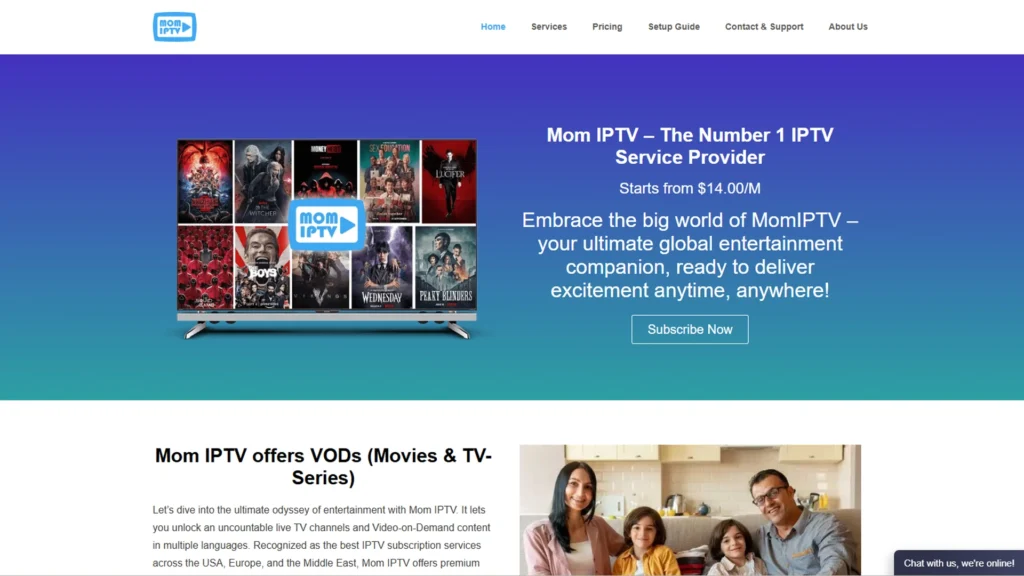
Mom IPTV is an internet-based television service. If you are new to the idea, what is IPTV explains the basics, and Internet Protocol television is the formal term for it. Content is delivered through M3U playlists and the Xtream Codes API, so you do not need a satellite dish or cable box. A stable internet connection is enough.
The Mom IPTV service runs on multiple private servers at 10Gbps, covering 98+ countries. That setup is what keeps streams stable compared with cheaper alternatives that buffer or go offline.
Mom IPTV Free Trial: Can You Try Before You Buy?
Yes, Mom IPTV offers a 24-hour free trial. You can request it at momiptv.com/product/trial. That gives you a full day to test streams, check channel quality, browse the VOD library, and confirm everything works on your device.
Every paid plan also comes with a 45-day money-back guarantee, so you are covered whether you start with the trial or buy straight away. To compare other providers that offer trials, see the best IPTV free trial guide.
Mom IPTV Channels: What Can You Watch?
The Mom IPTV channel list is one of the most impressive in the industry. Here is a breakdown of what you get:
Live TV (18,000+ Channels)
The Mom IPTV channels cover every major category imaginable. Movies, music, religion, kids’ entertainment, science, news, sports, and much more. Most channels stream in HD or Full HD quality, making your viewing experience genuinely enjoyable on any screen size.
VOD Library (121,000+ Titles)
The VOD collection spans Hollywood films, indie titles, TV series and documentaries. With 121,000+ titles, there is always something to watch.
Sports and PPV Events
Football, basketball, cricket, boxing, MMA, and every major Pay-Per-View event are covered. Mom IPTV service ensures you never miss a match or a live event, no matter where you are.
Catch Up / Replay (Up to 72 Hours)
Catch up TV lets you go back and watch content from the past 72 hours, so a missed game or episode is not lost.
TV Guide (EPG)
The advanced Electronic Program Guide built into Mom IPTV lets you see what is playing on every channel right now and what is coming up next, making channel surfing much smarter.
Mom IPTV Pricing: Plans and Packages
Mom IPTV pricing depends on how many devices you want to connect at the same time. Every plan includes all 18,000+ channels, 121,000+ VOD titles, EPG, automatic updates, and 24/7 support.
1 Device Plans
| Plan | Duration | Price |
|---|---|---|
| Basic | 30 Days | $14 |
| Standard | 90 Days | $24 |
| Professional | 180 Days | $44 |
| Enterprise | 365 Days | $64 |
2 Device Plans
| Plan | Duration | Price |
|---|---|---|
| 1 Month | 30 Days | $25 |
| 3 Months | 90 Days | $40 |
| 6 Months | 180 Days | $70 |
| 1 Year | 365 Days | $110 |
3 Device Plans
| Plan | Duration | Price |
|---|---|---|
| 1 Month | 30 Days | $35 |
| 3 Months | 90 Days | $60 |
| 6 Months | 180 Days | $100 |
| 1 Year | 365 Days | $150 |
The annual 1-device plan at just $64 for a full year works out to barely over $5 per month, which is genuinely hard to beat for the amount of content you receive.
Mom IPTV App: Compatible Devices
The Mom IPTV app setup works with the devices most people already own, with no special hardware needed:
- Amazon Firestick and Fire TV
- Android TV and Android Box
- Samsung and LG Smart TVs
- iPhone, iPad, and Android phones and tablets
- Windows PC and Mac
- MAG and Enigma2 devices
Both M3U and Xtream Codes API formats are supported, so you can use players such as TiviMate, IPTV Smarters, GSE Smart IPTV, or VLC. Firestick users can follow the IPTV for Firestick guide, and the best IPTV player list helps you choose an app.
Key Features of Mom IPTV Service
Anti-Freeze Technology
Mom IPTV uses the latest H.264 compression technology, which means maximum video quality with zero buffering. This is the same technology used by professional broadcast networks, and it makes a real difference in day-to-day streaming.
99.99% Uptime
Server maintenance on Mom IPTV is limited to just around 5 minutes occasionally, meaning the service stays live almost every single hour of the year. That kind of reliability matters when you pay for a service.
Instant Activation
Once your payment goes through, your IPTV subscription is activated within minutes. No waiting, no delays, full access starts almost immediately.
24/7 Live Support
Whether it is a billing question or a technical issue at 3 am, the Mom IPTV support team is available around the clock.
Stable Private Servers
Mom IPTV service runs on multiple dedicated private servers at 10Gbps speed, covering every major region globally. This is what makes the streams consistently stable regardless of your location.
TV Guide (EPG)
The built-in program guide keeps you informed about what is on and what is coming up across all 18,000+ channels.
Mom IPTV Reddit: What Are Users Saying?
Searching Mom IPTV Reddit threads is a common way to gauge real experiences. Because several providers share the same name, check that a post refers to momiptv.com before trusting it. Look for recent comments on stream stability, VOD range, and support speed, and use the 24-hour trial to confirm for yourself.
More IPTV Guides on Nixon IPTV
If you want to explore and compare more IPTV providers before making a decision, the following guides on NixonIPTV are worth reading:
For a full comparison of the best IPTV providers available today: Best IPTV Providers
To find the top IPTV services offering free trials: Best IPTV Free Trial
For sports lovers looking for the best IPTV for live matches: Best IPTV for Sports
If you are based in the UK and looking for the best option: Best IPTV for the UK
For viewers in Canada: Best IPTV in Canada
To understand the difference between legal and unlicensed services: Legal IPTV Service Providers
New to IPTV and want to understand how it works: What is IPTV
Pros and Cons of Mom IPTV
Pros
- 18,000+ live channels and 121,000+ VOD titles in one subscription
- Plans from $14 per month
- 24-hour free trial
- 45-day money-back guarantee on every plan
- Works on almost every smart device
- 72-hour Catch Up
- 24/7 support
Cons
- The free trial is limited to 24 hours
- No publicly listed phone number
- Other providers use the same name, so buyers must verify the official site
Frequently Asked Questions About Mom IPTV
-
Is Mom IPTV legal?
Legality depends on the content streamed and the laws in your country. Mom IPTV publishes a DMCA policy and Terms of Service on its official website. Review your local broadcasting rules, and read the guide on legal IPTV service providers. For background on copyright takedowns, see the U.S. Copyright Office DMCA overview.
-
Why should I choose Mom IPTV over other services?
Mom IPTV stands out because of the combination of volume, price, and reliability. Getting 18,000+ Mom IPTV channels and 121,000+ VOD titles for as little as $14 a month, backed by a 24-hour free trial and a 45-day money-back guarantee, is genuinely difficult to match in the current market. Add in Anti-Freeze technology, 99.99% uptime, and round-the-clock support, and the value becomes even clearer.
-
Does Mom IPTV offer a free trial?
Yes. Mom IPTV offers a 24-hour free trial, which you can request by contacting their support team at momiptv.com/contact-support. This lets you test the full service, including live channels, VOD, and stream quality, before paying anything.
-
What is the Mom IPTV channel list?
Mom IPTV provides 18,000+ live channels covering movies, sports, news, kids, music, religion, and more from 98+ countries
-
What devices support the Mom IPTV app?
The Mom IPTV app works on Amazon Firestick, Android TV, Smart TV, Windows PC, Mac, iPhone, and Android smartphones. Full setup instructions for each device are available at momiptv.com/setup-guide.
-
How do I buy a Mom IPTV subscription?
Go to the Mom IPTV shop at momiptv.com/pricing, choose your preferred plan, complete the payment, and your subscription will be activated within minutes.
Final Verdict
Mom IPTV delivers on every front that matters for a quality IPTV experience. The channel count is massive, the pricing is competitive, the technology keeps streams smooth, and the support team is available whenever you need them. The 24-hour free trial means there is zero reason not to give it a proper test before spending a penny.
Whether you are a sports fan, a movie lover, or someone who just wants a reliable alternative to expensive cable TV, Mom IPTV service is one of the strongest options available in 2026. The annual 1-device plan at $64 in particular, represents outstanding value for a full year of unlimited entertainment.
Start your free trial or explore all plans at the official website: momiptv.com
