
Pulse IPTV is one of the third-party IPTV services that keeps popping up in cord-cutter forums and Telegram groups, and it’s also a name several unrelated scam and look-alike sites have copied. This review confirms the real official site and breaks down what Pulse IPTV actually offers, whether Pulse IPTV is legit, what its official pricing looks like, how setup works, and where it falls short, so you can decide if Pulse IPTV fits your streaming needs in 2026.
The official Pulse IPTV site is pulseiptv.com. If you were sent a different domain, treat it as unverified until you confirm it independently.
Key Takeaways
- The real Pulse IPTV is pulseiptv.com – several unrelated look-alike and scam sites use the same or a similar name, so verify the domain before you pay.
- Pulse IPTV runs on a simple ordering model: you pick a plan, then order and get support through WhatsApp or Telegram rather than a self-serve checkout.
- Official pricing runs from €20 for one month on one device up to €65 for a full year, with per-device add-ons for multi-screen households.
- The service supports FireStick, Fire TV, Android, Smart TVs, Apple TV, iOS, and Windows/Mac, with setup guides provided after purchase.
- Third-party review sites cite large channel and VOD counts, but Pulse IPTV’s own site doesn’t publish an exact channel list, so treat specific numbers as unverified until you confirm them yourself.
- Like most independent IPTV resellers, legality depends on where you live and how the content is licensed. Read the FAQ section before subscribing.
Overall Rating: 6.5/10
Best for: Cord-cutters who already know what IPTV is and want a WhatsApp-first ordering process instead of a self-checkout site.
Not ideal for: Beginners who want upfront transparency on channel counts, a public free trial, or card-based checkout without messaging a support agent first.
| Category | Verdict |
|---|---|
| Official website | pulseiptv.com — verify this exact domain before paying |
| Pricing | Competitive, clearly listed on-site |
| Setup process | Requires manual contact via WhatsApp/Telegram |
| Device support | Broad (FireStick, Android, iOS, Smart TV, Apple TV, Windows/Mac) |
| Transparency | Limited (no public channel list or VOD count on the official site) |
| Support channel | WhatsApp and Telegram only |
What Is Pulse IPTV?
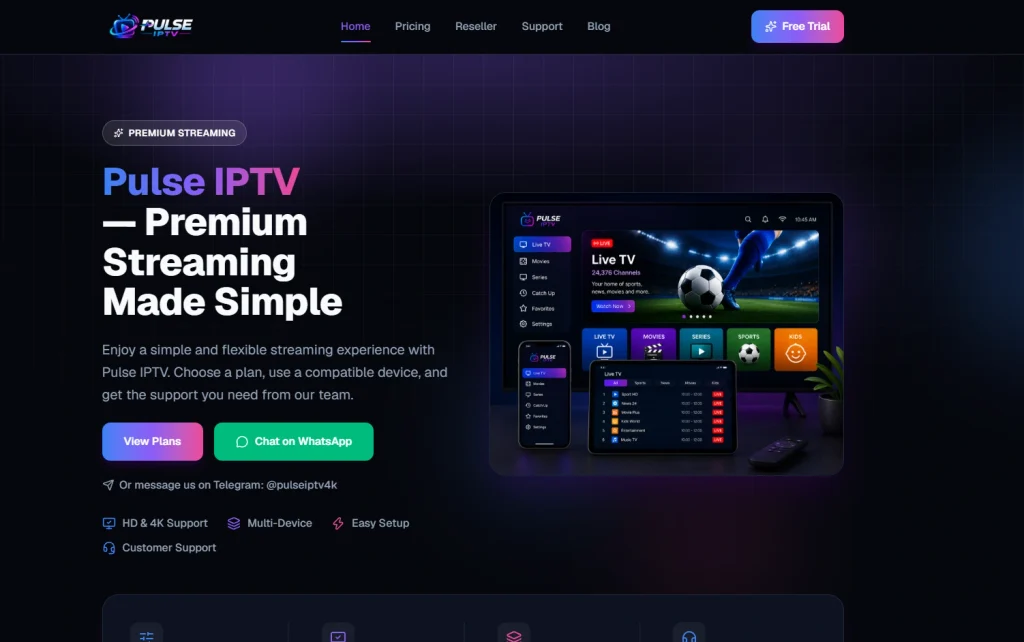
Pulse IPTV is an internet-delivered TV service that positions itself as a straightforward alternative to cable, similar in concept to what IPTV is as a delivery method. Instead of a satellite dish or a cable box, you stream live channels and on-demand titles through an app or a third-party player on a device you already own.
What sets Pulse IPTV apart from many competitors is its ordering flow. There’s no self-serve signup form on the homepage. You choose a plan, then reach out over WhatsApp or Telegram to complete payment and get your activation details. The company markets this as “real human support,” which can be reassuring for setup help but is a step slower than services with instant, automated checkout.
Independent review sites describe Pulse IPTV as offering a large international channel lineup and a sizeable VOD library with 4K and anti-freeze streaming claims, but these figures come from third-party bloggers rather than Pulse IPTV’s own published specs. If exact channel counts matter to your decision, ask for a current list before paying.
Is There More Than One Pulse IPTV? How to Confirm You’re on the Real Site
“Pulse IPTV” isn’t a name locked to a single company. Because it isn’t a registered or exclusive brand in the IPTV resale space, several unrelated look-alike sites currently use the same or a similar name, which is a common source of confusion when people search for pulse iptv or iptv pulse and land on the wrong storefront.
The official Pulse IPTV site is pulseiptv.com. Before you message anyone or enter payment details, confirm the URL in your browser bar actually reads pulseiptv.com, check that branding matches across the homepage, pricing page, and support channels, and be cautious of any listing you only reached through a third-party ad or reseller link instead of typing the URL in directly. Look-alike sites often copy the pricing and design almost exactly, so the domain itself is the most reliable check.
Red flags that you’re on a fake or look-alike “Pulse IPTV” site:
- The domain isn’t pulseiptv.com (extra words, a different extension, or a misspelling)
- No pricing page, or pricing that only appears after you message support first
- Payment requested only in crypto or via a personal payment app, with no other option
- No privacy policy, terms of service, or company/support contact info listed anywhere
- The site was registered very recently or has no reviews or track record you can verify independently
- You were routed there through a random ad, Telegram forward, or reseller link rather than typing pulseiptv.com yourself
Key Features Explanation
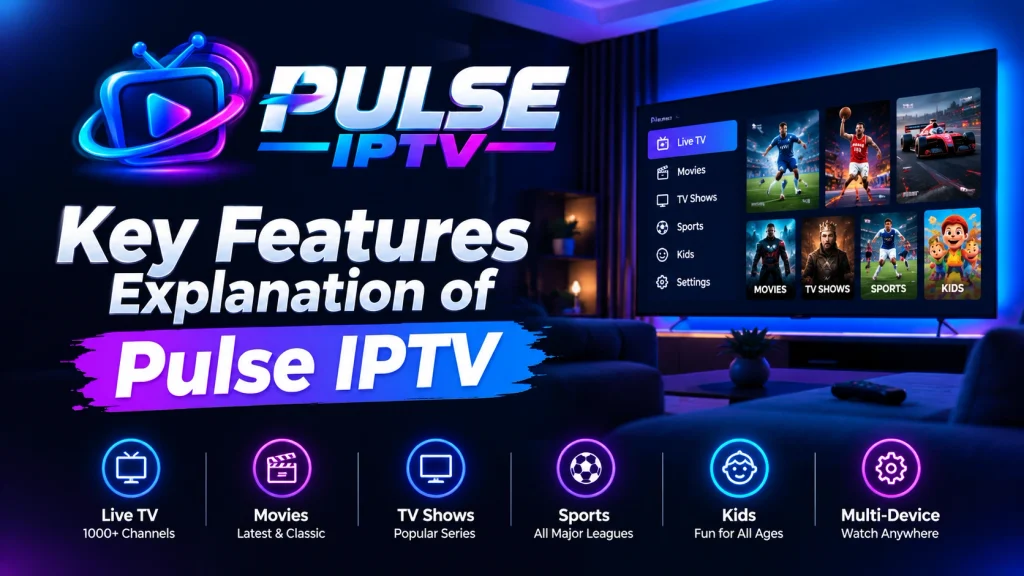
Live TV Channels
Pulse IPTV advertises international live channel coverage spanning entertainment, sports, and news categories. The official site doesn’t break down an exact channel count or regional coverage map, so international sports fans should confirm coverage for their specific leagues (Premier League, Champions League, NFL, NBA) directly with support before subscribing.
VOD Library
An on-demand movies and series library is included with every plan tier. Update frequency and multi-language subtitle support aren’t detailed publicly, which is worth clarifying if binge-watching recent releases is a priority. For a refresher on how VOD differs from live IPTV streams, see what VOD actually means.
Streaming Quality
HD and 4K Ultra are listed as supported “on compatible devices,” which is standard phrasing that depends heavily on your player app, device hardware, and connection speed rather than a guaranteed 4K feed on every channel. As a general rule across IPTV services, aim for at least 15-25 Mbps of stable bandwidth if you want consistent 4K playback. The FCC’s broadband speed guide breaks down how much bandwidth different streaming quality tiers actually need, and you can check your current speed with Speedtest by Ookla.
EPG and Multi-Device Support
An EPG (electronic program guide) is included so you can browse a schedule grid rather than guessing what’s airing. Plans scale from 1 to 4 simultaneous devices, which covers most households but tops out lower than some competing services that offer 5+ connections.
Supported Devices
Pulse IPTV lists compatibility with:
- Fire TV and FireStick
- Android and Android TV boxes
- Smart TVs
- iPhone and iPad
- Apple TV
- Windows and Mac
This is a wide compatibility list, and setup on most of these follows the same general pattern used across the IPTV space: install a compatible player, then load your credentials or playlist URL.
Pulse IPTV Streaming Performance: What to Actually Expect
Pulse IPTV’s own marketing doesn’t publish server response benchmarks or uptime statistics, and independent, verifiable stress-test data for the service is thin. Rather than inventing numbers that can’t be confirmed, here’s what generally determines whether an IPTV service like this feels smooth day-to-day:
- Your ISP and time of day. Buffering during peak evening hours (7-11 pm local time) is common across the entire IPTV industry, not unique to Pulse IPTV, because it’s when the most subscribers across every provider are streaming simultaneously.
- VPN use. Some ISPs throttle unrecognized streaming traffic. Routing IPTV traffic through a VPN can reduce throttling-related buffering, though it can also add latency depending on the server you connect to.
- Player choice. The same subscription can feel very different in a well-optimized player like TiviMate versus a basic default app. If you’re chasing the smoothest playback, our buffering troubleshooting guide covers the adjustments that tend to help most.
If server stability is your top priority, ask Pulse IPTV support directly about their current uptime track record and request a short trial window before committing to a longer plan.
Step-by-Step Setup Guide
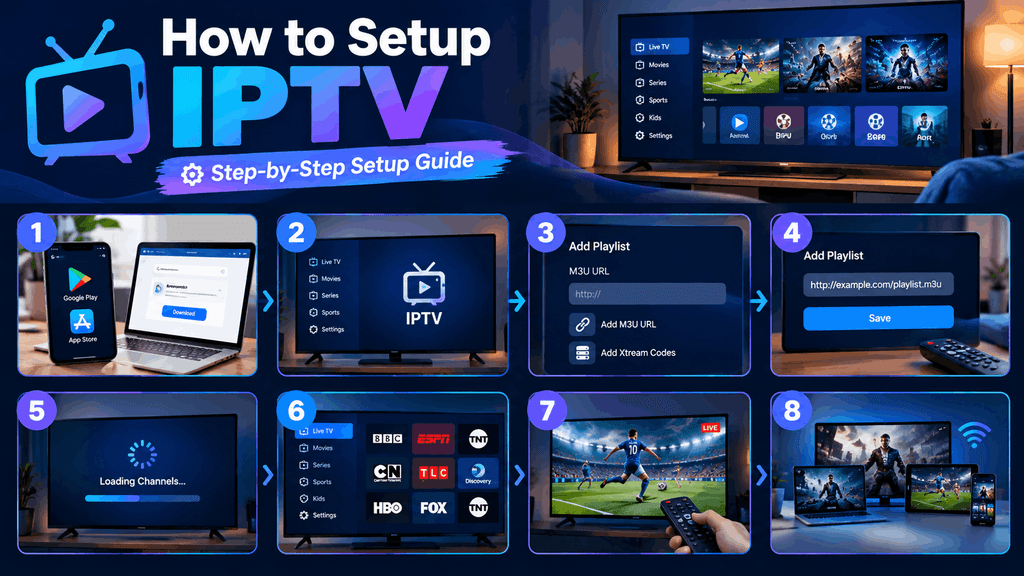
Setting Up on Amazon FireStick / Fire TV
- From the FireStick home screen, go to Settings > My Fire TV > Developer Options and enable Apps from Unknown Sources.
- Search the Amazon Appstore (or sideload via Downloader) for a compatible IPTV player such as TiviMate or IPTV Smarters Pro.
- Open the player and enter the Xtream Codes API details or M3U playlist URL provided after purchase.
- Let the app load your channel and VOD library, then set your preferred EPG source.
For a broader walkthrough of this process, see the full IPTV setup guide for FireStick.
Setting Up with TiviMate, IPTV Smarters Pro, or XCIPTV
All three players accept either an M3U playlist link or Xtream Codes API login (server URL, username, password). If you’re unfamiliar with the difference, our M3U playlist explainer covers exactly what that URL does and how to enter it correctly. Our best IPTV player comparison can help you pick between them based on interface and EPG handling.
Setting Up on Smart TV or via VLC
Smart TV setup typically means installing a supported player from the TV’s app store, or side-loading one where that’s supported. On desktop, VLC can also open an M3U link directly. See our IPTV on VLC guide for the exact steps.
Pricing, Plans & Payment
Pulse IPTV’s official pricing (1-device tier, billed one-time per period):
| Plan | Price | Effective Monthly Cost |
|---|---|---|
| 1 Month | €20 | €20.00/mo |
| 3 Months | €35 | €11.67/mo |
| 6 Months | €45 | €7.50/mo |
| 12 Months | €65 | €5.42/mo |
Additional devices are priced as add-ons on top of these tiers (2, 3, and 4-device options are listed on the pricing page). There’s no card-based self-checkout: orders are completed by messaging Pulse IPTV’s team on WhatsApp or Telegram, who handle payment and activation directly. This means there’s no published refund policy or automated free trial on the main site; if a trial or money-back window matters to you, ask support to confirm it in writing before paying. For services with a clearly published trial policy instead, see our best IPTV free trial roundup.
Pros and Cons
| Pros | Cons |
|---|---|
| Clear, published pricing tiers | No self-serve checkout or account dashboard |
| Wide device compatibility (FireStick, Android, iOS, Smart TV, Apple TV) | No public channel list or VOD count |
| Direct human support via WhatsApp/Telegram | No advertised free trial on the official site |
| EPG included on all plans | Device cap tops out at 4 simultaneous streams |
| Multi-month discounts reduce effective monthly cost | Streaming quality and uptime claims aren’t independently verifiable |
Pulse IPTV vs. Alternatives
Compared to the broader IPTV market, Pulse IPTV’s biggest differentiator is its support-first, messaging-based ordering process rather than a self-serve dashboard. That can be a plus if you want a human to walk you through setup, but it’s a step slower than providers built around instant, automated activation. If transparent channel counts and an automated signup flow matter more to you than white-glove support, it’s worth comparing a few best IPTV subscription options side by side before deciding.
Is Pulse IPTV Legit and Safe?
Pulse IPTV is a real, operating service with published pricing and a support team, but it’s an independent third-party reseller, not a licensed broadcaster. The clearest transparency signals worth checking on any IPTV storefront before paying are published pricing, a privacy policy, terms of service, and a named support channel, and Pulse IPTV covers the basics on those fronts.
It’s also worth understanding the scale of the wider market you’re buying into. A joint study by Digital Citizens Alliance and NAGRA found that unauthorized subscription IPTV services generate over $1 billion a year in the United States alone, with roughly nine million U.S. households subscribed to some form of pirate IPTV. That figure doesn’t say anything about any single named provider, but it’s why checking a provider’s transparency signals matters more in this category than for most other online purchases.
IPTV legality overall depends on your country and on how the underlying content is licensed, so it’s worth reviewing your local regulations. If you want a service built entirely on licensed, broadcaster-authorized content instead, see our list of fully licensed IPTV alternatives.
Frequently Asked Questions
-
Is Pulse IPTV legit and safe to use?
Pulse IPTV is a real, operating service with published pricing and a support team, but it’s an independent third-party reseller, not a licensed broadcaster. IPTV legality depends on your country and on how the underlying content is licensed, so it’s worth reviewing your local regulations. If you want a service built entirely on licensed, broadcaster-authorized content instead, see our list of fully licensed IPTV alternatives.
-
Does Pulse IPTV offer a free trial?
The official site’s “Free Trial” button links directly to WhatsApp rather than an automated trial signup, so availability and length depend on what support offers you at the time you ask.
-
How many devices can I use with one Pulse IPTV subscription?
Plans scale from 1 up to 4 simultaneous devices, with pricing increasing per additional device.
-
Does Pulse IPTV work on FireStick?
Yes. FireStick and Fire TV are listed as supported devices, and setup follows the same sideloaded-player process used across most IPTV services.
-
What should I do if Pulse IPTV keeps buffering?
Start with your internet speed and time of day, try a different player app, and consider a VPN if your ISP throttles streaming traffic. Our adaptive bitrate streaming guide explains what’s actually happening behind buffering issues.
-
Is there a refund policy?
There’s no published refund policy on the official site. Confirm any refund or trial terms directly with support in writing before paying, since orders are handled manually rather than through an automated checkout.
Final Verdict
Pulse IPTV is a real, currently operating service with transparent pricing and broad device support, but it asks you to trust a WhatsApp conversation for the details that most competing services publish upfront, like exact channel counts, trial terms, and refund policy. If you’re comfortable messaging support before you pay and getting those specifics confirmed directly, it’s a reasonable option to evaluate. If you’d rather see everything laid out before committing, it’s worth comparing it against providers with fully public specs first.
Recommended next step: Message Pulse IPTV support to confirm current channel coverage, trial availability, and refund terms in writing, then test performance on your own network before committing to a longer plan.
